← News
Topic · Organization

Apple Intelligence

38 articles

See also
📰

Latest Apple Intelligence articles

HomePod Mini Waits Reach Eight Weeks Ahead of Rumored Refresh

HomePod Mini Waits Reach Eight Weeks Ahead of Rumored Refresh

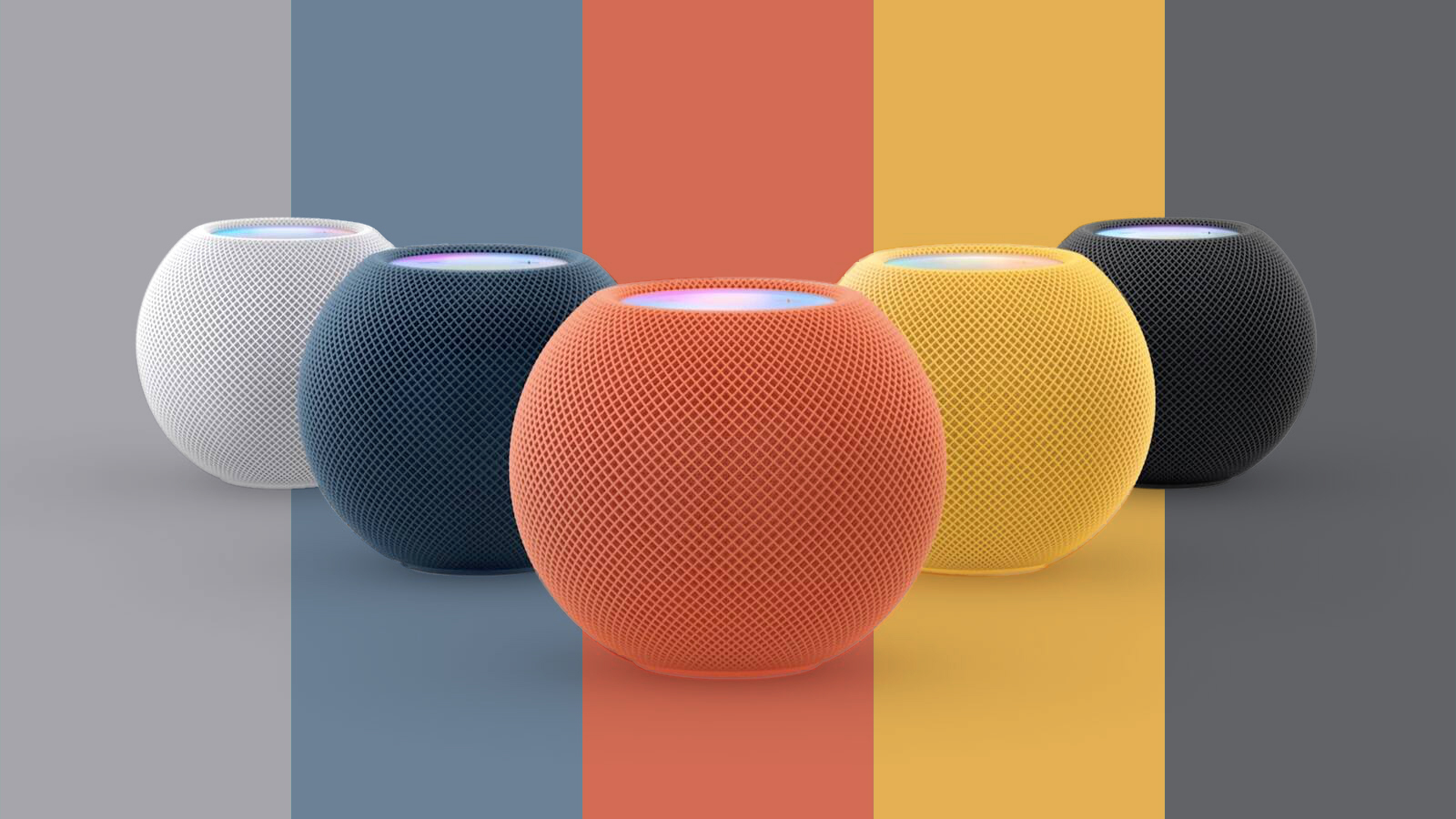
HomePod mini shipping estimates now stretch to as long as eight weeks in several countries, while some colors are unavailable for delivery, adding to signs that a rumored refresh may be close. On Apple's U.S. online store , yellow and orange are currently unavailable for delivery to various ZIP codes. Blue and white have estimated delivery dates of October 14–21, while midnight is estimated for October 12–14. Dates may differ by address. In the UK , blue is unavailable for delivery, yellow is estimated to ship in three to four weeks, and orange in six to eight weeks. The orange model also has a six-to-eight-week shipping estimate in Germany , France , Australia , and Japan . Both yellow and orange are unavailable for delivery in Canada , although other colors generally ship within a few business days. The delays come ahead of a rumored October 13 introduction of a new ‌HomePod mini‌, alongside an updated Apple TV 4K and a new smart home hub. The ‌HomePod mini‌ 2 is expected to retain its current design while gaining a faster chip, Apple Intelligence support, and new color options . Similar ‌HomePod mini‌ shortages have occurred intermittently for more than a year , but there is often a correlation between delays and the launch of new products. Related Roundup: HomePod mini Buyer's Guide: HomePod Mini (Don't Buy) Related Forum: HomePod, HomeKit, CarPlay, Home & Auto Technology This article, " HomePod Mini Waits Reach Eight Weeks Ahead of Rumored Refresh " first appeared on MacRumors.com Discuss this article in our forums

Oct 6, 2026 · byMacRumors
tvOS 27.2 Code Hints at Apple Intelligence for New Apple TV

tvOS 27.2 Code Hints at Apple Intelligence for New Apple TV

Apple's latest tvOS 27.2 beta adds weight to rumors that the next Apple TV will have Siri AI and Apple Intelligence support. Code suggests Apple is adding an Improve ‌Siri‌ & ‌Apple Intelligence‌ toggle to the tvOS Settings app. "Help improve foundation models and ‌Siri‌ by allowing Apple to collect and use your text and audio interactions with ‌Siri‌, Dictation, and Translate," the text reads. Other Apple devices with ‌Apple Intelligence‌ have similarly labeled privacy disclosures and data-sharing opt-ins. On devices that don't support ‌Apple Intelligence‌, the setting is labeled "Improve ‌Siri‌ & Dictation." The new code is included alongside the existing code for ‌Siri‌ data sharing, so it's likely only Apple Intelligence-capable hardware will see it. tvOS 27.2 also has a new ‌Siri‌ Messages UI framework, indicating message content could be displayed on the ‌Apple TV‌ in the future. ‌Siri‌ may be able to read messages sent to a linked iPhone and show smart reply options on the ‌Apple TV‌. The current version of ‌Siri‌ on ‌Apple TV‌ doesn't support sending or reading messages, so the framework is likely linked to ‌Siri‌ AI. Apple is working on a version of the ‌Apple TV‌ with 8GB or 12GB of RAM and an A19 or A19 Pro chip , hardware that could support on-device ‌Siri‌ AI features. Apple appears to be laying the groundwork for the new ‌Apple TV‌ with tvOS 27.2. We could get a new ‌Apple TV‌ as soon as October 13 . Related Roundup: Apple TV Tag: Apple Intelligence Buyer's Guide: Apple TV (Don't Buy) Related Forum: Apple TV and Home Theater This article, " tvOS 27.2 Code Hints at Apple Intelligence for New Apple TV " first appeared on MacRumors.com Discuss this article in our forums

Oct 5, 2026 · byMacRumors
Mac Users Reclaim Storage With New Apple Intelligence Removal Tool

Mac Users Reclaim Storage With New Apple Intelligence Removal Tool

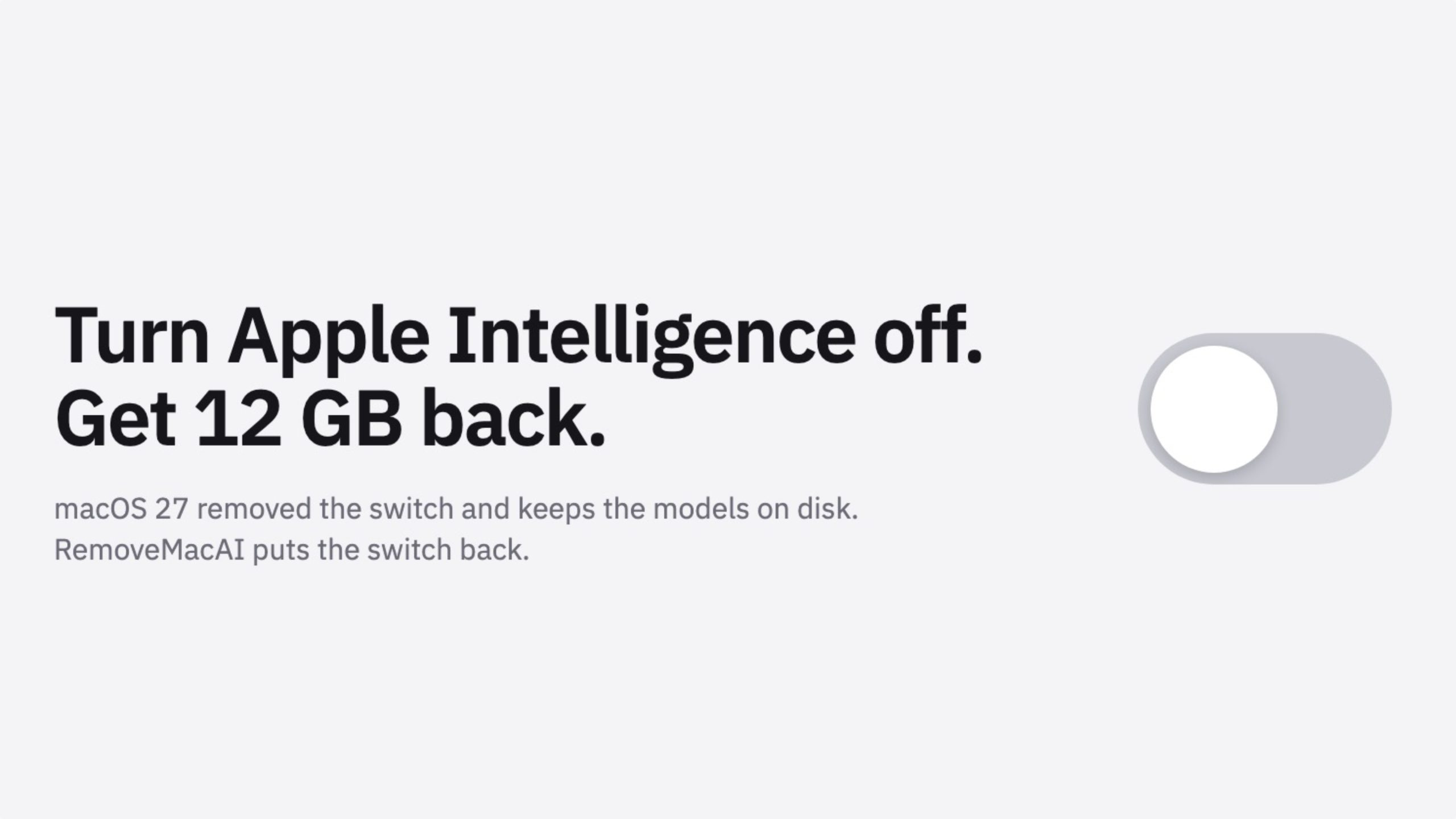
A new open-source tool is making waves in the Mac community by helping users reclaim valuable storage space taken up by Apple's AI models. Called " RemoveMacAI ," the tool disables Apple Intelligence on macOS 27, removes its downloaded models, and prevents them from being downloaded again. In macOS 27, Apple removed the toggle to disable Apple Intelligence wholesale, and simply disabling individual features doesn't remove the models from your Mac's drive. As explained by the developer , RemoveMacAI gets around this by using a configuration profile to switch off Apple's own asset management service and remove the models. It then configures the system so attempts to download the removed models are redirected to a closed local port, preventing them from immediately coming back. And it does all this without disabling System Integrity Protection (SIP) or manually deleting files from protected system locations, unlike some older tools have. The tool can reclaim roughly 10GB+ of space depending on which models are present on your Mac, though some users are reporting cases where Apple Intelligence models are taking up a lot more space. With the Apple models gone, you lose all Siri-related AI features, Writing Tools, Genmoji, Image Playground, ChatGPT integration, summaries, smart replies, inline predictions, Photos Clean Up, Spatial Photos, and Xcode predictive completion. Even so, plenty of users appear happy to make the sacrifice to free up space, especially on non-upgradeable Macs with 256GB of storage. The profile reportedly persists across updates. And if you're wondering, dictation still works. The project has attracted hundreds of GitHub stars since its release last week, and there's lots of discussion on Reddit and Hacker News about the need for such a tool. Just be aware that MacRumors isn't endorsing RemoveMacAI, and anyone using it does so at their own risk. The developer has mentioned one caveat, and it's that some of the configuration-profile restriction keys that the tool relies on were deprecated by Apple in macOS 26.4. While they still work in macOS 27.0.1, a future version could always change that. Something to keep in mind. Tag: Apple Intelligence This article, " Mac Users Reclaim Storage With New Apple Intelligence Removal Tool " first appeared on MacRumors.com Discuss this article in our forums

Oct 5, 2026 · byMacRumors
New Apple TV 4K Hinted at in Support Document

New Apple TV 4K Hinted at in Support Document

Last week, MacRumors uncovered evidence of an Apple TV 4K (4th generation) , and now an Apple support document has further hinted at a new model. Apple on Monday updated a support document related to lossless audio in Apple Music with the following fine print below the Apple TV 4K section: Hi-Res Lossless is available only on Apple TV 4K (3rd generation or later). Given the Apple TV 4K (3rd generation) is the current model, the "or later" wording is noteworthy, as it could mean that a new model is imminent. However, Apple could simply be future-proofing the document or have made a mistake. In any case, the support document adds to growing anticipation for a new Apple TV 4K, which is expected to be announced this October. The next Apple TV is rumored to have an A19 or A19 Pro chip , an increased 8GB to 12GB of RAM, Apple Intelligence and Siri AI support , an Apple-designed N1 chip with Wi-Fi 7 support, and a revised Siri Remote . The image of the Apple TV 4K (4th generation) that we obtained last week did not reveal any design changes compared to the current model. The current Apple TV is nearly four years old, having been announced in October 2022. It is equipped with an A15 Bionic chip and 4GB of RAM. In June, the Apple TV received a price increase amid surging memory chip costs. In the U.S., for example, the device now starts at $199, up from $129. Related Roundup: Apple TV Buyer's Guide: Apple TV (Don't Buy) Related Forum: Apple TV and Home Theater This article, " New Apple TV 4K Hinted at in Support Document " first appeared on MacRumors.com Discuss this article in our forums

Sep 29, 2026 · byMacRumors
Apple Code Confirms iPad 12 Specs: A19, 8GB RAM, N1, C1X Modem

Apple Code Confirms iPad 12 Specs: A19, 8GB RAM, N1, C1X Modem

The next low-cost iPad will be equipped with an A19 chip, C1X modem, N1 networking chip, and 8GB RAM, according to details found in Apple's code by MacRumors contributor Aaron Perris. We've heard some of these same specifications in prior rumors, so this is more of a confirmation than a new leak. The ‌iPad‌ 11 has an A16 chip, so the upgrade to the A19 in the 12th-generation ‌iPad‌ will bring a noticeable improvement in performance. More importantly, the A19 supports Apple Intelligence , so the ‌iPad‌ 12 will have all the ‌Apple Intelligence‌ and Siri AI features missing from the ‌iPad‌ 11. The ‌iPad‌ 11 has 6GB RAM, but 8GB RAM is the minimum for ‌Apple Intelligence‌, and the RAM boost will also speed things up. Apple's C1X modem supports sub–6GHz 5G networks, and it is more efficient than the Qualcomm modem used in the existing ‌iPad‌. The addition of the N1 networking chip will bring support for Wi-Fi 7, Bluetooth 6, and Thread. Though not included in the code, it's possible the ‌iPad‌ 12 will be available in new colors. There is no word on when Apple will release the new ‌iPad‌, and at this point, we're not expecting it until spring 2027. The current ‌iPad‌ is priced starting at $449 after a June 2026 price hike, and the new model will likely have the same starting price. There's no low-cost ‌iPad‌ coming this year, but Apple is expected to refresh the iPad mini before the end of October. We discovered new details about the ‌iPad mini‌ just this morning. It will have an A20 Pro chip, a new speaker system, and a landscape front-facing camera. Prior rumors say it will feature an OLED display as the main upgrade. We also found official images of the Apple TV 4K and the HomePod mini , including its colors . The ‌HomePod mini‌ will come in green, pink, blue, white, and black. Related Roundup: iPad Tag: Apple 5G Modem Buyer's Guide: iPad (Don't Buy) Related Forum: iPad This article, " Apple Code Confirms iPad 12 Specs: A19, 8GB RAM, N1, C1X Modem " first appeared on MacRumors.com Discuss this article in our forums

Sep 25, 2026 · byMacRumors
New Apple TV 4K Leaked

New Apple TV 4K Leaked

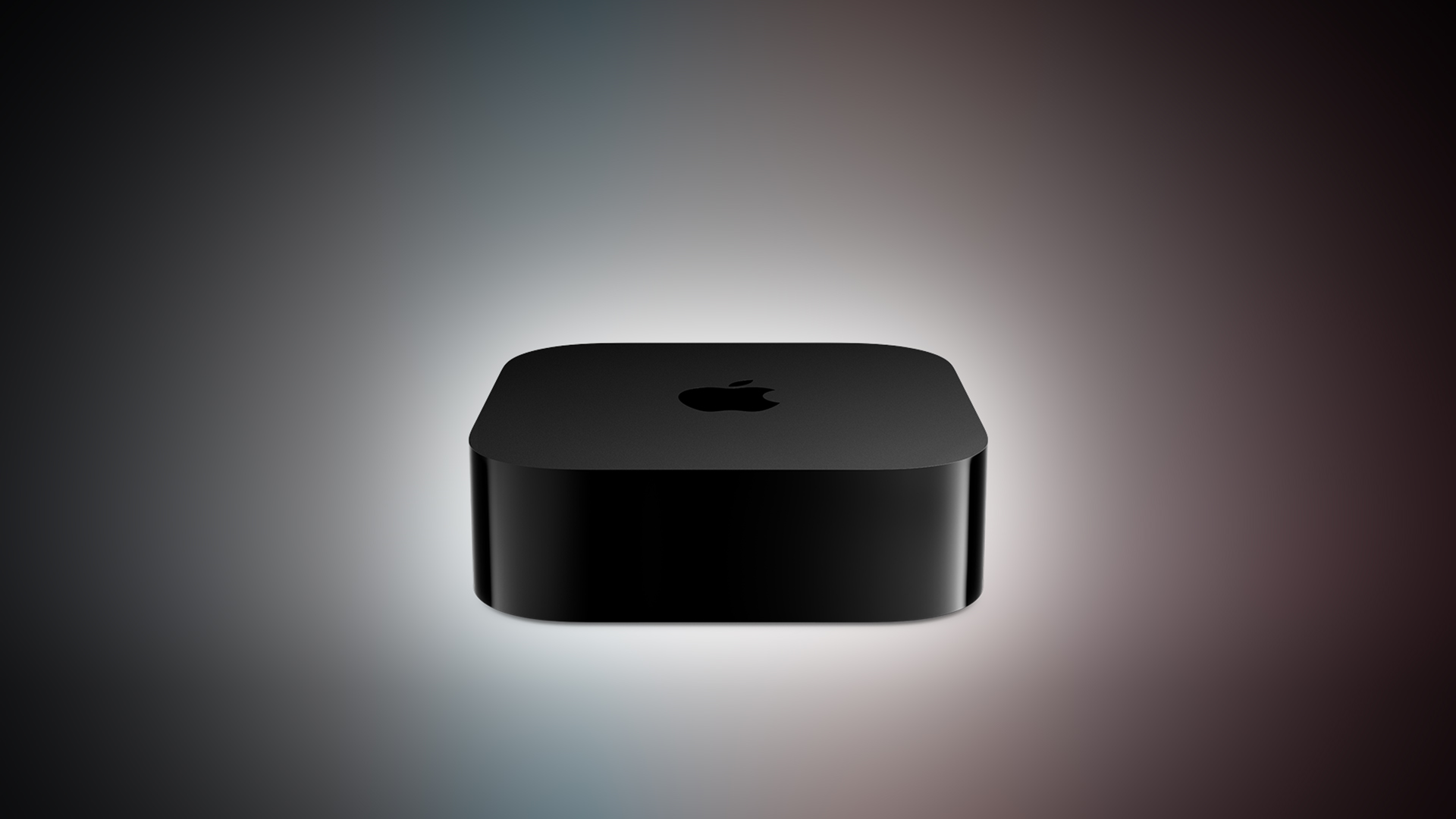
MacRumors contributor Aaron Perris has uncovered an image file for an unreleased Apple TV 4K, suggesting that a new model will finally be released soon. Apple TV 4K (4th generation) image (on a gradient) The image reveals that the Apple TV will have the same external design as the current model, with all of its upgrades expected to be internal. Rumored features include an A17 Pro chip or newer, an increased 8GB of RAM, Apple Intelligence and Siri AI support, an Apple-designed N1 chip with Wi-Fi 7 support, and a revised Siri Remote. The current Apple TV is nearly four years old, having been announced in October 2022. It is equipped with an A15 Bionic chip and 4GB of RAM. With an A17 Pro chip or newer, the next Apple TV will have faster performance and hardware-accelerated ray tracing for improved graphics rendering in games. With the N1 chip, the Apple TV will support Wi-Fi 7 and Bluetooth 6. Wi-Fi 7 has increased bandwidth, in part because it allows for data transmission over the 2.4GHz, 5GHz, and 6GHz bands simultaneously with a supported device and router. Wi-Fi 7 is theoretically up to 4× faster than the current Apple TV's Wi-Fi 6, but real-world speeds are bottlenecked by internet service providers and other factors. Siri AI will likely be the headline new feature on the next Apple TV, with tvOS 27 expected to gain a Siri app on the device. Siri AI is a much more intelligent and personalized version of Siri that can answer pretty much any question. The bump to 8GB of RAM will enable support for not only Siri AI, but some other Apple Intelligence features. A revised Siri Remote of some kind is expected alongside the new Apple TV, but it is unclear exactly what outward changes it will have, if any. In June, Apple raised prices on 14 products, including the Apple TV 4K. In the U.S., the Wi-Fi model with 64GB of storage now starts at $199 (up from $129), while the Wi-Fi + Ethernet model with 128GB of storage now starts at $249 (up from $149). It is unclear if the next Apple TV will maintain those prices or be even more expensive. October is a common month for Apple to announce new products, so stay tuned, as the next Apple TV might just be days or weeks away. Related Roundup: Apple TV Buyer's Guide: Apple TV (Don't Buy) Related Forum: Apple TV and Home Theater This article, " New Apple TV 4K Leaked " first appeared on MacRumors.com Discuss this article in our forums

Sep 25, 2026 · byMacRumors
Siri AI Coming to HomePod

Siri AI Coming to HomePod

Apple's smarter, more capable version of Siri is expanding to the HomePod , according to details found by code sleuth pdfu . According to pdfu, ‌HomePod‌ Software 27 includes the system behind ‌Siri‌ AI, called "Linwood," along with new status lights in the ‌Siri‌ AI colors. Since ‌HomePod‌ Software 27 is out and ‌Siri‌ AI isn't available on existing HomePods, it's possible support will be limited to new ‌HomePod‌ models. Get ready for Siri AI on HomePod. audioOS 27 includes Linwood, the system behind Siri AI, plus a new look and sound for Siri on HomePod. May require new hardware. The new status lights emphasize white, blue and orange, matching Siri AI's palette on other devices. 🔊 Sound on pic.twitter.com/jZKzLx946y — pdfu (@itspdfu) September 23, 2026 Rumors suggest Apple is working on an updated HomePod mini , and the main upgrade will be a faster processor. Apple is expected to equip it with an S9 chip or newer, and it's possible the ‌HomePod mini‌ could even get the latest S11 chip that's in the Apple Watch Series 12. The Apple Watch Series 9 and later support ‌Siri‌ AI, though a connected iPhone with Apple Intelligence is required for the ‌Siri‌ functionality. The next ‌HomePod mini‌ models are expected to work in the same way, offering some ‌Siri‌ AI and ‌Apple Intelligence‌ features when used with a compatible iPhone. The ‌HomePod mini‌ isn't expected to get a redesign, but along with an updated processor, Apple could add its N1 networking chip, a newer Ultra Wideband chip, and updated colors. The Apple TV 4K is also expected to get a processor capable of supporting ‌Siri‌ AI, and Apple is working on a dedicated home hub with ‌Siri‌ AI integration. All of the new products, ‌HomePod mini‌ included, could launch as soon as October . Apple is also working on an updated full-size ‌HomePod‌, but it isn't clear when it will launch . Related Roundups: HomePod , HomePod mini Tag: Siri Buyer's Guide: HomePod (Caution) , HomePod Mini (Don't Buy) Related Forum: HomePod, HomeKit, CarPlay, Home & Auto Technology This article, " Siri AI Coming to HomePod " first appeared on MacRumors.com Discuss this article in our forums

HomePodneutral
Sep 23, 2026 · byMacRumors
iPhone Air vs. iPhone 18 Pro Buyer's Guide: Which Should You Buy?

iPhone Air vs. iPhone 18 Pro Buyer's Guide: Which Should You Buy?

The iPhone Air and iPhone 18 Pro are just $100 apart at Apple's current prices, but they offer different advantages. The Air puts a 6.5-inch display in an exceptionally thin, light body. The newer Pro adds a more versatile camera system, longer battery life, and faster performance. The iPhone Air launched in 2025 at $999, but Apple now sells the 256GB model for $1,099. The iPhone 18 Pro starts at $1,199 for the same storage capacity, while the ‌iPhone 18 Pro‌ Max starts at $1,299. Our guide helps to answer the question of how to decide which of these iPhones is best for you. Both have an Always-On OLED display with ProMotion, Ceramic Shield 2 on the front, an 18-megapixel Center Stage front camera, Wi-Fi 7, and support for Apple Intelligence . Their size differences are as follows: ‌iPhone Air‌ ‌iPhone 18 Pro‌ ‌iPhone 18 Pro‌ Max Height 6.15 inches (156.2 mm) 5.91 inches (150.0 mm) 6.43 inches (163.4 mm) Width 2.94 inches (74.7 mm) 2.83 inches (71.9 mm) 3.07 inches (78.0 mm) Depth 0.22 inches (5.64 mm) 0.34 inches (8.75 mm) 0.34 inches (8.75 mm) Weight 5.82 ounces (165 grams) 7.44 ounces (211 grams) 8.78 ounces (249 grams) Here are the other key differences: ‌iPhone Air‌ ‌iPhone 18 Pro‌ and ‌iPhone 18 Pro‌ Max 6.5-inch display, 2736 by 1260 pixels iPhone 18 Pro : 6.3-inch display, 2622 by 1206 pixels iPhone 18 Pro Max : 6.9-inch display, 2868 by 1320 pixels. All three displays have 460 pixels per inch. Titanium frame with glass back Aluminum unibody with Ceramic Shield back Standard Dynamic Island Smaller ‌Dynamic Island‌ that supports up to three simultaneous Live Activities A19 Pro chip with 5-core GPU and 16-core Neural Engine A20 Pro chip with 7-core GPU and dual 16-core Neural Engine Next-generation vapor chamber cooling for better sustained performance Apple C1X cellular modem iPhone 18 Pro : Apple C2 modem iPhone 18 Pro Max : Qualcomm Snapdragon X80 modem in the U.S., C2 in other markets Sub-6 GHz 5G Sub-6 GHz and mmWave 5G on U.S. models Single 48-megapixel Fusion Main rear camera, 26 mm, with fixed ƒ/1.6 aperture and sensor-shift optical image stabilization 48-megapixel Fusion Main rear camera, 24 mm, with second-generation sensor-shift optical image stabilization and ƒ/1.48, ƒ/1.8, ƒ/2.8, and ƒ/4.0 variable-aperture settings 48-megapixel Fusion Ultra Wide and 48-megapixel Fusion Telephoto cameras 1x and optical-quality 2x zoom options; up to 10x digital zoom for photos 0.5x, 1x, optical-quality 2x, 4x, and optical-quality 8x zoom options; up to 40x digital zoom for photos Macro photography, spatial photos, and LiDAR Scanner True Tone flash Adaptive True Tone flash Photographic Styles 2 Photographic Styles 3 with texture and grain controls Smart focus tracking Pro controls for aperture, shutter speed, white balance, and a histogram HEIF and JPEG photo capture HEIF, JPEG, and DNG photo capture, including ProRAW; Apple Reference Image capture where available Rear-camera 4K Dolby Vision video up to 60 fps Rear-camera 4K Dolby Vision video up to 120 fps with the Fusion Main camera Cinematic mode up to 4K Dolby Vision at 60 fps, with effects that can be applied after capture Spatial video; ProRes up to 4K at 120 fps with external recording; ProRes RAW; Apple Log 2; Academy Color Encoding System; and genlock support 1080p slow-motion video up to 240 fps 1080p slow-motion video up to 240 fps and 4K Dolby Vision slow-motion video up to 120 fps Stabilized time-lapse video Stabilized time-lapse video up to 4K Dolby Vision; macro video, including slow motion and time-lapse Up to 6x digital zoom for video Up to 24x digital zoom for video 18-megapixel Center Stage front camera with 4K Dolby Vision video up to 60 fps 18-megapixel Center Stage front camera with additional Pro controls, Photographic Styles 3, smart focus tracking, ProRAW, Cinematic mode, and ProRes recording Audio Mix Audio Mix with new voice algorithms and music isolation Up to 27 hours of video playback or 22 hours streamed iPhone 18 Pro : Up to 36 hours of video playback or 33 hours streamed iPhone 18 Pro Max : Up to 45 hours or 40 hours streamed Compatible with the ‌iPhone Air‌ MagSafe Battery, which raises Apple's video-playback estimate to 40 hours with the accessory attached Up to 50% wired charge in 30 minutes with a 20W or higher adapter Up to 50% wired charge in around 15 minutes with a 60W-capable adapter that supports Adjustable Voltage Supply Up to 50% charge in 30 minutes over ‌MagSafe‌ with a 30W or higher adapter Up to 50% charge in 30 minutes over ‌MagSafe‌ with a 35W or higher adapter ‌MagSafe‌ and Qi2 wireless charging up to 20W ‌MagSafe‌ and Qi2 wireless charging up to 25W USB-C with USB 2 data speeds up to 480Mb/s; wireless video output through AirPlay USB-C with USB 3 data speeds up to 10Gb/s; DisplayPort video output up to 4K HDR Single built-in speaker; Spatial Audio playback with compatible AirPods Stereo speakers and Spatial Audio playback Built-in microphones Four studio-quality microphones eSIM only, including in countries where physical SIM cards remain common eSIM only in the U.S. and certain other markets; nano-SIM and eSIM support in many other countries, including the U.K. 256GB, 512GB, or 1TB storage 256GB, 512GB, 1TB, or 2TB storage Space Black, Cloud White, Sky Blue, and Light Gold Black, Silver, Glacier, and Burgundy At every storage capacity the Air and ‌iPhone 18 Pro‌ share, the Pro costs $100 more when bought from Apple in the U.S.: 256GB 512GB 1TB 2TB ‌iPhone Air‌ $1,099 $1,299 $1,699 ‌iPhone 18 Pro‌ $1,199 $1,399 $1,799 $2,399 ‌iPhone 18 Pro‌ Max $1,299 $1,499 $1,899 $2,499 At Apple's current prices, the ‌iPhone 18 Pro‌ is clearly the stronger choice for most buyers. It costs just $100 more than the Air at every shared storage capacity, yet adds excellent Ultra Wide and Telephoto cameras, a variable-aperture main camera, longer battery life, stereo speakers, faster charging, vapor chamber cooling, a newer chip, and more. The ‌iPhone Air‌ makes a stronger case in the hand than it does on a specification sheet. It is 46 grams lighter than the ‌iPhone 18 Pro‌, has a slightly larger display, and feels unlike any other iPhone. With its polished titanium frame and frosted glass back, it looks more classy and premium than the ‌iPhone 18 Pro‌ in many respects. If appearance, thinness, weight shape how much you enjoy using a phone every day, choosing the Air can be worthwhile despite its camera, speaker, and battery limitations. The Pro Max offers a 6.9-inch screen and even longer battery life, but weighs 84 grams more than the Air. Retail pricing can change that calculation. The Air has seen substantial discounts, including an unlocked 256GB model for $899.99 earlier this year. If you find a new ‌iPhone Air‌ for around $900 while the ‌iPhone 18 Pro‌ remains $1,199, the roughly $300 saving makes the Air much more compelling if you can live with one rear camera and shorter battery life. Timing matters, too. Bloomberg 's Mark Gurman expects the next ‌iPhone Air‌ in spring 2027 , and an Ultra Wide camera has reportedly reached advanced testing. Analyst Jeff Pu expects a smaller Dynamic Island and A20 Pro chip . Separately, leaker "Digital Chat Station" has claimed it will have a 3,500mAh battery , up from the current model's 3,149mAh, while The Information has reported that it could gain vapor chamber cooling . If the current Air's camera, battery life, or sustained performance gives you pause, waiting could address those concerns; a steep discount is more persuasive if the current model already meets your needs. Related Roundups: iPhone 18 Pro , iPhone Air Buyer's Guide: iPhone 18 Pro (Buy Now) , iPhone Air (Neutral) Related Forum: iPhone This article, " iPhone Air vs. iPhone 18 Pro Buyer's Guide: Which Should You Buy? " first appeared on MacRumors.com Discuss this article in our forums

Sep 23, 2026 · byMacRumors
Apple Intelligence Taking up 30GB+ on Some Macs Running macOS 27

Apple Intelligence Taking up 30GB+ on Some Macs Running macOS 27

After you install macOS 27 Golden Gate, Apple automatically downloads a multi-gigabyte AI model to your Mac the next time it's connected to the internet. Unlike previous versions of macOS, you can't prevent it. Siri AI, and by extension Apple Intelligence, are now a mandatory part of your system. For macOS 27 Golden Gate, Apple says the latest Apple Intelligence features require up to 14GB of on-device storage on Macs with an M3 chip or later and at least 12GB of unified memory, and up to 8GB of storage for other Apple Intelligence-enabled Macs. But in our experience, AI model storage allocation appears to be considerably higher on some Macs than others. On an M4 Pro Mac mini running macOS 27, for example, MacRumors saw 20.67GB handed over for Apple Intelligence. ArsTechnica recorded an even higher figure of 22.42GB on an M3 MacBook Air after a fresh installation of macOS 27.0 beta 7. Both of these systems will be using Apple's AFM 3 Core Advanced on-device model, which requires an M3-or-newer Mac with 12GB or more of RAM. This doesn't explain why Macs that don't meet the minimum requirements for Apple's most advanced model are still losing unusually large amounts of storage to Apple Intelligence. ArsTechnica reported the same screen showed around 14GB on an M1 MacBook Air and a MacBook Neo, and yet both of these models fall into a category for which Apple lists a requirement of up to 8GB. Other Mac users have posted similar higher-than-expected readings. For example, one Reddit user shared a screenshot from the macOS 27 Release Candidate showing Apple Intelligence gobbled up 30.16GB on their machine. Another user quoted 24.35GB for Apple Intelligence after installing macOS 27 on a MacBook Pro with M3 Pro chip. Device Apple Intelligence storage iPhone 18 Pro, iPhone 18 Pro Max, iPhone Duo Up to 14GB iPhone 17 Pro, iPhone 17 Pro Max, iPhone Air Up to 14GB Other compatible iPhones: iPhone 15 Pro and Pro Max, all iPhone 16 models, iPhone 17, and iPhone 17e Up to 8GB iPad with M4 or later and at least 12GB of unified memory; Mac with M3 or later and at least 12GB of unified memory; Apple Vision Pro (M5) Up to 14GB Other compatible iPad, Mac, and Apple Vision Pro models Up to 8GB Compatible Apple Watch models Up to 1.5GB on the watch iPhone 15 and 15 Plus, iPhone 14 and earlier, and iPhone SE Not supported Figures taken from Apple's support document Apple's support document does not explain whether its "up to 14GB" requirement is directly comparable with the Apple Intelligence "Storage" category in System Settings, or why some Macs display substantially higher numbers. For what it's worth, we haven't seen the same ballooning figures on iPhones and iPads running iOS 27 and iPadOS 27. It's not just academic, either. While using Apple Intelligence is optional, downloading its on-device models is not. Apple removed the toggle to disable Apple Intelligence, so users must set aside space for Apple's on-device models. In an era where memory and storage costs are rising because of AI, the irony of the situation is not lost, but it doesn't make it any less frustrating. If you're on a Mac, you can check your own reading in System Settings ➝ General ➝ Storage by clicking the information button beside macOS . Let us know your findings in the comments. Tag: Apple Intelligence This article, " Apple Intelligence Taking up 30GB+ on Some Macs Running macOS 27 " first appeared on MacRumors.com Discuss this article in our forums

Sep 23, 2026 · byMacRumors
iPhone 14 Pro vs. iPhone 18 Pro Buyer's Guide: Should You Upgrade?

iPhone 14 Pro vs. iPhone 18 Pro Buyer's Guide: Should You Upgrade?

Apple announced the iPhone 18 Pro and ‌iPhone 18 Pro‌ Max earlier this month, arriving four years after the iPhone 14 Pro and iPhone 14 Pro Max. Four generations of changes make for a substantial upgrade, bringing larger displays, an all-new design, improvements to every camera, significantly longer battery life, faster charging, USB-C connectivity, and support for Apple Intelligence . The iPhone 15 Pro replaced the stainless steel frame with titanium, introduced the Action button and USB-C port, and added the A17 Pro chip. The iPhone 16 Pro introduced larger displays with thinner borders, the Camera Control, a 48-megapixel Ultra Wide camera, and improved video and audio recording. The iPhone 17 Pro replaced the titanium frame and glass back with an aluminum unibody, added vapor chamber cooling and Ceramic Shield 2, and upgraded both the telephoto and front-facing cameras. This year's refresh centers on the A20 Pro chip, a variable-aperture Main camera, a smaller Dynamic Island , and a further increase in battery capacity . For iPhone 14 Pro owners, all four sets of changes accumulate. The ‌iPhone 18 Pro‌ starts at $1,199 for 256GB, $200 more than the iPhone 14 Pro's $999 launch price, although the entry storage tier has doubled from 128GB. The ‌iPhone 18 Pro‌ Max starts at $1,299, also $200 more than the iPhone 14 Pro Max's $1,099 launch price, with the same increase in base storage. Here are the key differences between the iPhone 14 Pro and ‌iPhone 18 Pro‌: Design and Display iPhone 14 Pro (2022) ‌iPhone 18 Pro‌ (2026) Stainless steel frame with squared-off edges and full glass back Aluminum unibody with partial Ceramic Shield back, improving heat dissipation Glass rounded square camera bump Full-width rounded rectangle aluminum camera plateau iPhone 14 Pro : 6.1-inch display iPhone 14 Pro Max : 6.7-inch display iPhone 18 Pro : 6.3-inch display iPhone 18 Pro Max : 6.9-inch display iPhone 14 Pro : 2,556-by-1,179-pixel resolution iPhone 14 Pro Max : 2,796-by-1,290-pixel resolution iPhone 18 Pro : 2,622-by-1,206-pixel resolution iPhone 18 Pro Max : 2,868-by-1,320-pixel resolution Wider borders around the display Thinner borders, with the initial reduction of 30% introduced on the ‌iPhone 16‌ Pro Approximately 2-4 nits minimum display brightness 1 nit minimum display brightness More power-efficient display Ceramic Shield front Ceramic Shield 2 front, with 3x better scratch resistance than the ‌iPhone 16‌ Pro Fingerprint-resistant oleophobic coating only Fingerprint-resistant oleophobic coating and Apple-designed anti-reflective coating to reduce glare 2,000 nits peak display brightness (outdoor) 3,000 nits peak display brightness (outdoor) ‌Dynamic Island‌ supports up to two simultaneous Live Activities Smaller ‌Dynamic Island‌, supports up to three simultaneous Live Activities Ring/Silent switch Action button Camera Control capacitive button with sapphire crystal cover Available in Deep Purple, Gold, Silver, and Space Black Available in Silver, Black, Glacier, and Burgundy 95% fiber-based packaging 100% fiber-based packaging, suitable for recycling Dimensions and Weight iPhone 14 Pro (2022) ‌iPhone 18 Pro‌ (2026) Height iPhone 14 Pro : 147.5mm (5.81 inches) iPhone 14 Pro Max : 160.7mm (6.33 inches) iPhone 18 Pro : 150.0mm (5.91 inches) iPhone 18 Pro Max : 163.4mm (6.43 inches) Width iPhone 14 Pro : 71.5mm (2.81 inches) iPhone 14 Pro Max : 77.6mm (3.06 inches) iPhone 18 Pro : 71.9mm (2.83 inches) iPhone 18 Pro Max : 78.0mm (3.07 inches) Thickness 7.85mm (0.31 inches) 8.75mm (0.34 inches) Weight iPhone 14 Pro : 206 grams (7.27 ounces) iPhone 14 Pro Max : 240 grams (8.47 ounces) iPhone 18 Pro : 211 grams (7.44 ounces) iPhone 18 Pro Max : 249 grams (8.78 ounces) Chip, Performance, and Connectivity iPhone 14 Pro (2022) ‌iPhone 18 Pro‌ (2026) A16 Bionic chip A20 Pro chip Built with TSMC's N4P process (4nm) Built with TSMC's N2 process (2nm) 6-core CPU with 2 performance cores and 4 efficiency cores 6-core CPU with 2 super cores and 4 efficiency cores 6GB LPDDR5 RAM 12GB LPDDR5X RAM 51.2GB/s memory bandwidth 115GB/s memory bandwidth 5-core GPU 7-core GPU with Neural Accelerators Hardware-accelerated ray tracing 16-core Neural Engine Dual 16-core Neural Engine (32 total cores) Passive cooling Vapor chamber cooling with 3x more surface area than the ‌iPhone 17 Pro‌ New chip packaging that places silicon die beside memory, allowing it to attach directly to the vapor chamber Earlier video encoding hardware Enhanced video encoding hardware supporting higher-frame-rate recording and additional professional formats HEVC, H.264, and ProRes video playback HEVC, H.264, AV1, and ProRes video playback Supports iOS 27 , but not ‌Apple Intelligence‌ or Siri AI Supports ‌iOS 27‌, ‌Apple Intelligence‌, ‌Siri‌ AI, and Visual Intelligence Qualcomm Snapdragon X65 modem iPhone 18 Pro : Apple C2 modem in all countries iPhone 18 Pro Max : Apple C2 modem in all countries except the U.S., where it uses a Qualcomm modem Broadcom Wi-Fi and Bluetooth chip Apple N1 chip for Wi-Fi, Bluetooth, and Thread Wi-Fi 6 (802.11ax) Wi-Fi 7 (802.11be) Bluetooth 5.3 connectivity Bluetooth 6 connectivity First-generation Ultra Wideband chip Second-generation Ultra Wideband chip with Precision Finding for people Lightning port with USB 2 transfer speeds up to 480Mb/s USB-C port with USB 3 transfer speeds up to 10Gb/s Up to 1080p video output using a Lightning adapter DisplayPort support for up to 4K HDR video output Rear Camera iPhone 14 Pro (2022) ‌iPhone 18 Pro‌ (2026) First-generation quad-pixel sensor Newer sensor and computational imaging pipeline, building on the faster readout speeds and zero shutter lag introduced with the ‌iPhone 16‌ Pro 12-megapixel HEIF and JPEG photos, or up to 48-megapixel ProRAW photos from the Main camera 24- and 48-megapixel super-high-resolution photos from the Main, Ultra Wide, and Telephoto cameras Fixed ƒ/1.78 aperture on the Main camera Variable aperture with four stops: ƒ/1.48, ƒ/1.8, ƒ/2.8, and ƒ/4.0, using six laser-cut blades API available for developers to control the aperture range within their own apps Night mode Faster Night mode, tied to the new variable-aperture lens Around 50% better Main camera low-light performance than the ‌iPhone 16‌ Pro, with more detail in the back of group photos Pro controls in the Camera app: manual lens aperture, shutter speed, white balance, and histogram 12-megapixel Ultra Wide camera 48-megapixel Fusion Ultra Wide camera 12-megapixel Telephoto camera 48-megapixel Fusion Telephoto camera 3x Telephoto camera, with 77mm focal length 4x Telephoto camera, with 100mm focal length, also enabling 12-megapixel optical-quality 8x shots at 200mm 0.5x, 1x, 2x, and 3x zoom options, with optical-quality 2x derived from the Main camera 0.5x, 1x, 2x, 4x, and 8x zoom options, with optical-quality 2x and 8x derived from the Main and Telephoto cameras Digital zoom up to 15x Digital zoom up to 40x 24mm default Main camera lens Customizable default lens for the Fusion Main camera Macro photography 48-megapixel macro photography JPEG-XL compression for ProRAW photos Smart HDR 4 Smart HDR 5 Portrait mode with Depth Control Next-generation portraits with Focus and Depth Control First-generation Photographic Styles Photographic Styles 3, with tone, color, texture, and grain controls Depth mapping for AR and portrait photography Enhanced depth mapping for AR and portrait photography, with more accurate background and subject separation and more realistic bokeh Smart focus tracking Spatial photo capture Apple Reference Image (Main camera only) Camera Control The iPhone 14 Pro has a traditional Ring/Silent switch and lacks both of the dedicated controls Apple added to later generations. The ‌iPhone 18 Pro‌ includes an Action button that can launch the camera or ‌Visual Intelligence‌, as well as a Camera Control with the following additional functions: Press Camera Control to launch the Camera app Press to capture a photo or press and hold to record video Light press to lock focus and exposure before reframing Slide across the capacitive surface to adjust settings such as zoom, exposure, styles, and tone Light-press controls overlay for quick access to camera settings Integration with supported third-party camera apps Press and hold to activate ‌Visual Intelligence‌ Video Recording iPhone 14 Pro (2022) ‌iPhone 18 Pro‌ (2026) 4K video recording at 24 fps, 25 fps, 30 fps, or 60 fps, with Dolby Vision HDR up to 60 fps 4K Dolby Vision video recording at 24 fps, 25 fps, 30 fps, 60 fps, 100 fps (Fusion Main), or 120 fps (Fusion Main) 1080p HD video recording at 25 fps, 30 fps, or 60 fps 1080p Dolby Vision video recording at 25 fps, 30 fps, 60 fps, or 120 fps (Fusion Main) ProRes video recording up to 4K at 30 fps, or 1080p at 30 fps on the 128GB model ProRes video recording up to 4K at 120 fps with external recording Records video to internal storage Can record video directly to external storage over USB-C Slo-mo video support for 1080p at 120 fps or 240 fps Slo-mo video support for 1080p up to 240 fps and 4K Dolby Vision up to 120 fps (Fusion Main) Cinematic mode recording up to 4K HDR at 30 fps Cinematic mode recording up to 4K Dolby Vision at 60 fps Cinematic mode effects can be applied after capture to Fusion Main video shot at up to 60 fps Pro controls for lens aperture, shutter speed, white balance, and histogram Smart focus tracking Improved low-light video at 1080p Action mode up to 2.8K at 60 fps Action mode up to 2.8K Dolby Vision at 60 fps Spatial video recording at 1080p at 30 fps Time-lapse video recording with stabilization Time-lapse video recording with stabilization, up to 4K Dolby Vision QuickTake video QuickTake video up to 4K Dolby Vision at 60 fps Apple Log 2 Academy Color Encoding System support ProRes RAW capture support Genlock support Dual Capture up to 4K Dolby Vision at 30 fps Front Camera iPhone 14 Pro (2022) ‌iPhone 18 Pro‌ (2026) 12-megapixel TrueDepth camera with conventional rectangular sensor 18-megapixel Center Stage camera with square sensor and TrueDepth technology Tap to zoom and rotate, allowing portrait and landscape framing without rotating the iPhone Center Stage for photos and video calls Ultra-stabilized video Dual Capture, recording the front and rear cameras simultaneously at up to 4K Dolby Vision at 30 fps Smart HDR 4 Smart HDR 5 Portrait mode with Depth Control Next-generation portraits with Focus and Depth Control First-generation Photographic Styles Photographic Styles 3, with tone, color, texture, and grain controls Smart focus tracking Pro controls for shutter speed, white balance, and histogram 4K video recording at 24 fps, 25 fps, 30 fps, or 60 fps, with Dolby Vision HDR up to 60 fps 4K Dolby Vision video recording at 24 fps, 25 fps, 30 fps, or 60 fps 1080p HD video recording at 25 fps, 30 fps, or 60 fps 1080p Dolby Vision video recording at 25 fps, 30 fps, or 60 fps ProRes video recording up to 4K at 30 fps, or 1080p at 30 fps on the 128GB model ProRes video recording up to 4K at 60 fps with external recording Cinematic mode up to 4K HDR at 30 fps Cinematic mode up to 4K Dolby Vision at 30 fps Cinematic mode effects can be applied after capture Improved low-light video at 1080p Time-lapse video recording with stabilization Time-lapse video recording with stabilization, up to 4K Dolby Vision QuickTake video QuickTake video up to 4K at 60 fps in Dolby Vision Apple Log 2 Academy Color Encoding System support ProRes RAW capture support Audio Recording iPhone 14 Pro (2022) ‌iPhone 18 Pro‌ (2026) Stereo recording Spatial Audio and stereo recording Studio-quality four-mic array Wind noise reduction Audio Mix with algorithms for higher-quality voices and the ability to isolate music Battery and Charging iPhone 14 Pro (2022) ‌iPhone 18 Pro‌ (2026) iPhone 14 Pro : 3,200 mAh battery iPhone 14 Pro Max : 4,323 mAh battery iPhone 18 Pro : 4,056 mAh battery (SIM-tray models); 4,288 mAh battery (eSIM-only models) iPhone 18 Pro Max : 5,391 mAh battery (SIM-tray models); 5,567 mAh battery (eSIM-only models) iPhone 14 Pro : Up to 23 hours of video playback iPhone 14 Pro Max : Up to 29 hours of video playback iPhone 18 Pro : Up to 36 hours of video playback iPhone 18 Pro Max : Up to 45 hours of video playback iPhone 14 Pro : Up to 20 hours of streamed video playback iPhone 14 Pro Max : Up to 25 hours of streamed video playback iPhone 18 Pro : Up to 33 hours of streamed video playback iPhone 18 Pro Max : Up to 40 hours of streamed video playback Up to 50% charge in around 30 minutes with a 20W adapter or higher Up to 50% charge in around 15 minutes with a 60W-capable adapter or higher MagSafe wireless charging up to 15W with a 20W adapter or higher ‌MagSafe‌ wireless charging up to 25W, reaching 50% charge in 30 minutes with a 35W adapter or higher Qi wireless charging up to 7.5W Qi2 wireless charging up to 25W Optimized Battery Charging Charge Limit from 80% to 100% in 5% increments, plus Optimized Battery Charging Battery Health shows maximum capacity, peak performance capability, and whether service is recommended Battery Health also shows cycle count, manufacture date, and date of first use Battery designed to retain 80% of its original capacity at 500 complete charge cycles Battery designed to retain 80% of its original capacity at 1,000 complete charge cycles Storage and Pricing iPhone 14 Pro (2022) ‌iPhone 18 Pro‌ (2026) Available with 128GB, 256GB, 512GB, or 1TB storage Available with 256GB, 512GB, 1TB, or 2TB storage iPhone 14 Pro : Launched at $999 (128GB), $1,099 (256GB), $1,299 (512GB), $1,499 (1TB) iPhone 14 Pro Max : Launched at $1,099 (128GB), $1,199 (256GB), $1,399 (512GB), $1,599 (1TB) iPhone 18 Pro : $1,199 (256GB), $1,399 (512GB), $1,799 (1TB), $2,399 (2TB) iPhone 18 Pro Max : $1,299 (256GB), $1,499 (512GB), $1,899 (1TB), $2,499 (2TB) Now discontinued Sold directly by Apple Current purchase prices depend on third-party stock, condition, and warranty iPhone 18 Pro : From $49.95 a month for 24 months via Apple Upgrade iPhone 18 Pro Max : From $54.12 a month for 24 months via Apple Upgrade For iPhone 14 Pro and iPhone 14 Pro Max owners considering a new device, the ‌iPhone 18 Pro‌ is a worthwhile upgrade. Four generations of changes bring improvements to the display, every camera on the device, battery life, charging, sustained performance, and connectivity. Battery life is likely to be the strongest improvement for most users, particularly if their current device no longer comfortably lasts through the day, while faster wired charging makes brief charging stops more useful. The newer battery is also designed to retain 80% of its original capacity for twice as many complete charge cycles under ideal conditions, and Charge Limit offers more control over long-term battery wear. USB-C is another significant quality-of-life improvement for iPhone 14 Pro owners. It allows the iPhone to share cables with recent Macs, iPads, and accessories, while the jump from USB 2 to USB 3 speeds makes large wired photo and video transfers far quicker. The Action button and Camera Control also provide two new physical controls that the iPhone 14 Pro lacks. The camera upgrade is especially compelling for anyone who regularly takes photos or records video. Higher-resolution Ultra Wide and Telephoto cameras expand the options beyond the Main camera, while the variable aperture and Pro controls provide additional creative flexibility. Both iPhone 14 Pro sizes move from a 3x Telephoto camera to 4x, alongside an optical-quality 8x option that substantially extends their usable reach. For video creators, the accumulated changes are more consequential still. Higher-frame-rate 4K recording, external recording over USB-C, ProRes RAW, Genlock, Apple Log 2, Dual Capture, and improved audio tools expand the range of work that can be completed on the device. Spatial photo and video capture is also useful for Apple Vision Pro owners. The square front-camera sensor makes landscape framing easier without rotating the phone, while Center Stage improves flexibility for group photos and video calls. The A20 Pro and vapor chamber cooling make the strongest performance case for users who play demanding games, record long video clips, or regularly push their device through sustained workloads. The increase from 6GB to 12GB of RAM and the additional AI processing hardware also enable ‌Apple Intelligence‌, ‌Siri‌ AI, and ‌Visual Intelligence‌, none of which are available on the iPhone 14 Pro. The older model still supports ‌iOS 27‌ and remains capable for messaging, browsing, photography, and other everyday activities, so the latest software update does not make it obsolete. There are physical trade-offs to consider. Both newer models are taller and thicker, although the move from stainless steel to aluminum means the weight increases by only 5 grams on the Pro and 9 grams on the Pro Max despite the larger displays and batteries. The aluminum enclosure improves thermal management, but it is less premium-looking, and it may show dents and scratches more readily than the iPhone 14 Pro's stainless steel frame. If your iPhone 14 Pro still meets your needs and comfortably lasts through the day, upgrading is not urgent, but you may want to think about getting a new device soon. A battery replacement may be worth considering if reduced health is your main complaint and you would otherwise be happy to keep your device. The upgrade becomes much easier to recommend when battery limitations coincide with a desire for ‌Apple Intelligence‌, USB-C, the newer cameras, and a larger display. A discounted ‌iPhone 17 Pro‌ is another option if your priorities are the aluminum design, higher-resolution telephoto camera, square front-camera sensor, ‌Apple Intelligence‌, USB-C, and vapor chamber cooling. Those upgrades arrived before this year's model. Paying more for the ‌iPhone 18 Pro‌ makes the clearest sense when you also want the variable aperture, Pro controls, A20 Pro, smaller ‌Dynamic Island‌, and further improvements to battery life and charging, but coming from an iPhone 14 Pro, the ‌iPhone 17 Pro‌ will still feel like a significant upgrade. Related Roundup: iPhone 18 Pro Buyer's Guide: iPhone 18 Pro (Buy Now) Related Forum: iPhone This article, " iPhone 14 Pro vs. iPhone 18 Pro Buyer's Guide: Should You Upgrade? " first appeared on MacRumors.com Discuss this article in our forums

Sep 21, 2026 · byMacRumors
Siri AI Settlement Website Now Live: Apple to Pay Some iPhone Owners

Siri AI Settlement Website Now Live: Apple to Pay Some iPhone Owners

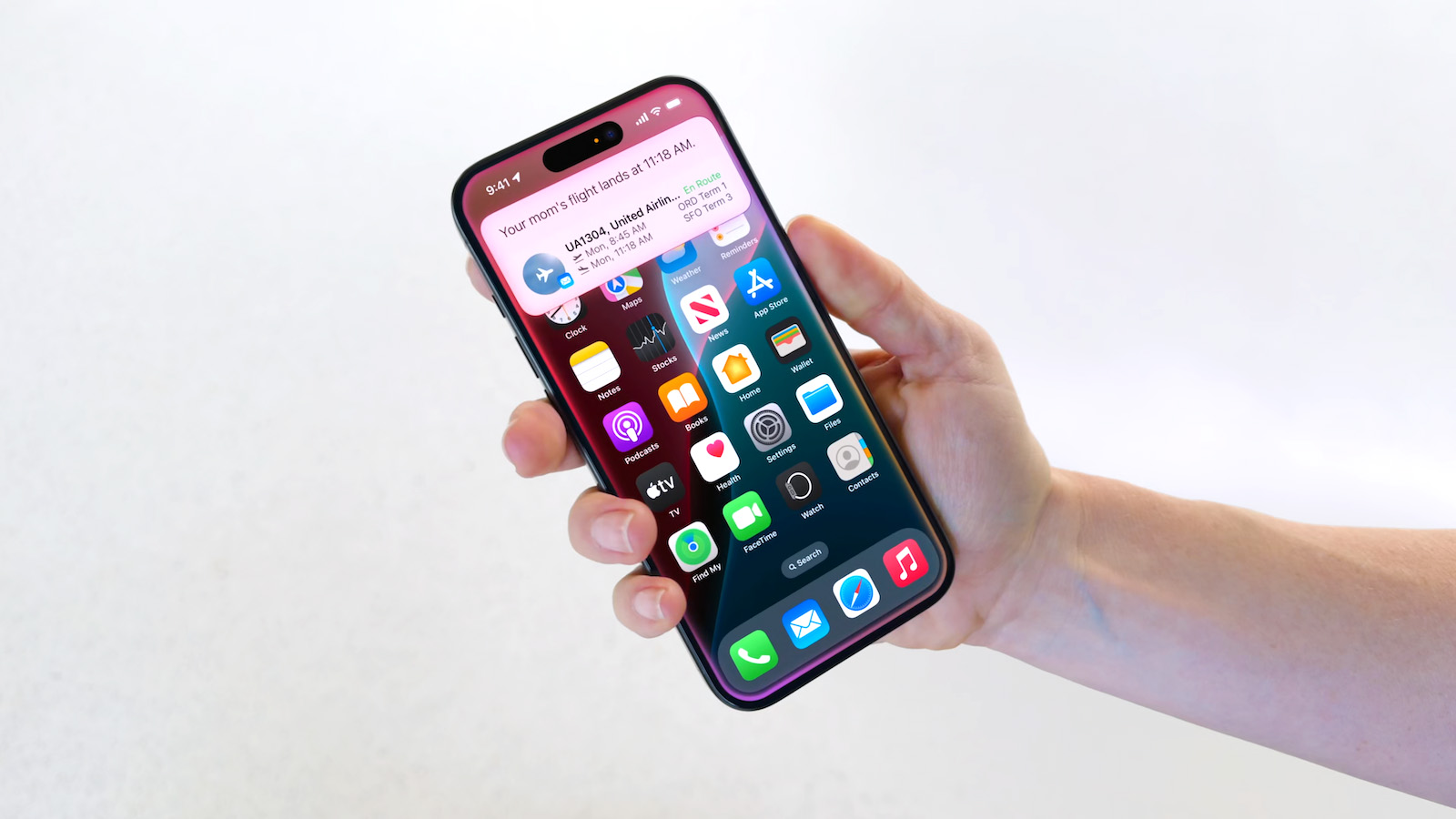
In May, Apple agreed to pay $250 million to settle a U.S. class action lawsuit over Siri AI's delayed launch, and the settlement website is now live. Apple will pay an estimated $25 per eligible iPhone to eligible customers, who can submit a claim via the settlement website between September 21 and December 21 of this year. The exact payment may be higher or lower than $25 depending on the total number of valid claims submitted and other factors, with the maximum amount set at $95. Apple denies all of the allegations made in the lawsuit. Apple agreed to the settlement to avoid the costs and risks of a trial. Below, we have answered some key questions regarding the lawsuit. Why Was Apple Sued? In June 2024, Apple previewed new Siri capabilities powered by Apple Intelligence, including understanding of a user's personal context, on-screen awareness, and deeper per-app controls. For example, Apple showed an iPhone user asking Siri about their mother's flight and lunch reservation plans based on info from the Mail and Messages apps. Apple advertised those Siri features in product presentations, on its website, in a TV commercial starring actor Bella Ramsey , and elsewhere. In March 2025, Apple delayed the launch of the personalized version of Siri , leading to the company being hit with a class action lawsuit alleging false advertising. In a statement, Apple touted a range of other Apple Intelligence features it had already released. Nevertheless, Apple agreed to settle the lawsuit "to stay focused" on "delivering the most innovative products and services to our users." Apple finally announced Siri AI at WWDC 2026 in June. Siri AI is available on iPhone 15 Pro models and newer running iOS 27, which was released last week . Siri AI is still considered a beta feature even though iOS 27 is no longer in beta. Am I Eligible? To be eligible to submit a claim, you must reside in the U.S. and have purchased one of the iPhone models listed below in the U.S. for purposes other than resale between June 10, 2024 and March 29, 2025. The full list of eligible iPhone models: iPhone 15 Pro iPhone 15 Pro Max iPhone 16 iPhone 16e iPhone 16 Plus iPhone 16 Pro iPhone 16 Pro Max Over the coming days, eligible customers should be notified about the settlement in an email, which will contain a claim ID and a PIN code. But, the settlement website also offers an option to submit a claim without this information. The claims form asks for your personal information and the eligible iPhone's serial number. If you indicate that you do not have the serial number, the form asks for your Apple Account email address and the eligible iPhone's phone number. How Much Will Apple Pay Me? According to the terms of the settlement, each person who files an eligible claim will receive a per-device payment of $25, but this amount could increase up to $95 if the total number of claims submitted is lower than anticipated. Where and When Can I Submit a Claim? You can submit a claim on the settlement website between September 21 and December 21. When Will I Receive Payment? A final approval hearing is scheduled for February 24, 2027, so payments to customers are not expected to begin until some point next year. What Else Should I Know? The settlement website answers some common questions about opting out of the settlement and other important topics, so be sure to read it carefully. Tags: Apple Lawsuits , Siri , Siri AI This article, " Siri AI Settlement Website Now Live: Apple to Pay Some iPhone Owners " first appeared on MacRumors.com Discuss this article in our forums

Sep 21, 2026 · byMacRumors
iOS 27.2 Beta Previews New Apple Intelligence Health App

iOS 27.2 Beta Previews New Apple Intelligence Health App

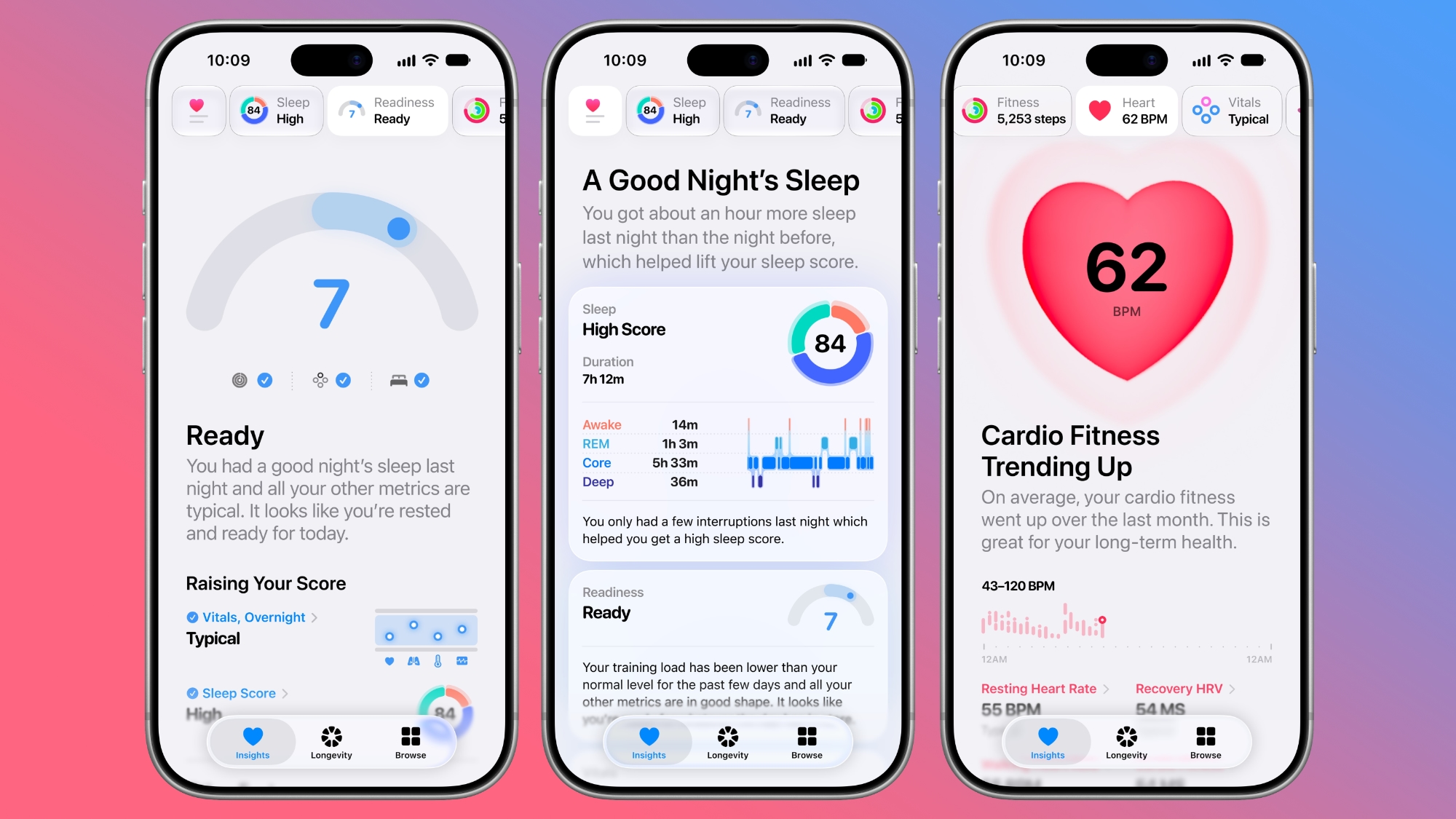
The first beta of iOS 27.2 includes Apple's redesigned Health app, giving developers a chance to try out the features ahead of launch later this year. Apple's developer notes for the feature say the Health app is being tested in this beta, but it won't be in the launch version of iOS 27.2. It will instead come later in the year. The Health app will incorporate Apple Intelligence to turn data and metrics collected by the Apple Watch into personalized guidance. Here are the new features we can expect: Insights - The Insights tab offers an Apple Intelligence-generated summary of timely information like your latest sleep metrics or a new peak in VO2 max. There are options to get custom advice on readiness, fitness, heart health, and more in the For You section. Personal Guidance - Personal guidance is part of the Insights tab. It knows what's important to you, and will make relevant suggestions. Apple says if you're working on your cardio, you might see a suggestion to incorporate intervals into your morning run. Recommendations adapt to each user and their data. Readiness - The new Apple Watch models calculate a readiness score that takes into account recent activity, vitals, and sleep score. It gives a 0–10 score with recommendations on activity level. Readouts include Recover, Pace Yourself, Ready, or Go For It. Info is shown on the watch, in the Fitness app, and in the Health app's Insights tab. Fitness - Insights incorporates your daily activity and it updates throughout the day. Vitals - The Vitals option in the Health app has new overnight views and daytime views. HRV is incorporated as a metric, offering a better look at your ability to recover from stress. It measures overall HRV and recovery HRV. Longevity - There is a new Longevity tab in the Health app. It uses metrics from your iPhone and Apple Watch to assess overall health across heart health, sleep, mental wellbeing, movement health, metabolic health, hearing, and nutrition. The section shows you how well you're doing in each category, and how each metric is classified against the latest clinical guidance. Health Age - Health Age is part of the Longevity tab. It uses metrics like VO2 max, resting heart rate, HRV, sleep, and biomarkers from blood work to determine how your health metrics compare to your actual age. It will help you figure out what habits make the biggest impact on your health, and how you can improve. At-home health assessments like a VO2 max test will be coming to the Health app, taking advantage of the iPhone's camera to track your movements as you follow instructions from a trainer. There will be in-depth physical assessments for measuring flexibility, strength, balance, and movement mechanics in addition to VO2 max. Apple also plans to eventually offer U.S. users the option to buy a bloodwork panel from Quest that covers more than 50 biomarkers. The test is priced at $119, and users will be able to order it right in the Health app. Not all of the new features are going to be available in the beta. CNET says ordering labs, personalized health info in the Insights tab, and personalized recommendations will not be available until later in the year. Features are going to roll out progressively. Related Roundups: iOS 27 , iPadOS 27 Tag: Apple Intelligence Related Forum: iOS 27 This article, " iOS 27.2 Beta Previews New Apple Intelligence Health App " first appeared on MacRumors.com Discuss this article in our forums

Sep 16, 2026 · byMacRumors
Apple Seeds First macOS Golden Gate 27.2 Beta to Developers

Apple Seeds First macOS Golden Gate 27.2 Beta to Developers

Apple is testing the next macOS Golden Gate update, and developers can download the ‌macOS Golden Gate‌ 27.2 beta as of today. The beta comes just two days after Apple launched ‌macOS Golden Gate‌ 27.0. Registered developers can download ‌macOS Golden Gate‌ 27.2 by opening up the System Settings app, clicking on General, selecting Software Update, and opting into ‌macOS Golden Gate‌ betas. Apple removed two Apple Intelligence features from the launch version of ‌macOS Golden Gate‌, but said they would be coming back in a future software update. It's possible the features will return as soon as the 27.2 release. Apple delayed Suggestions in Messages, a feature that lets the Messages app offer actions based on the context of conversations. If someone asks for a photo, Messages might suggest inserting it with a tap. If someone invites you to an event, Messages can suggest adding it to the Calendar app. Apple also pulled the ‌Apple Intelligence‌ feature that automatically updates weak and compromised passwords using Safari. Related Roundup: macOS Golden Gate Related Forum: macOS Golden Gate This article, " Apple Seeds First macOS Golden Gate 27.2 Beta to Developers " first appeared on MacRumors.com Discuss this article in our forums

Sep 16, 2026 · byMacRumors
Apple Releases First iOS 27.2 Beta

Apple Releases First iOS 27.2 Beta

Apple today seeded the first beta of an upcoming iOS 27.2 update to developers for testing purposes, with the update coming just two days after the iOS 27 launch. Apple also seeded an iPadOS 27.2 beta. Registered developers can download the beta updates by opting in under Settings > General > Software Update and selecting the ‌iOS 27‌ developer beta. Siri AI will be available in new languages later this year, and support could be added in iOS 27.2. Apple is adding French, Japanese, Korean, Portuguese, and Spanish in October. Two Apple Intelligence features were removed from the launch version of ‌iOS 27‌, and those could also be reintroduced as soon as iOS 27.2. Apple delayed suggestions in Messages conversations and the option to automatically fix compromised and weak passwords using AI. Apple also plans to debut a new Health app experience, and we could see that in the beta as well. Apple releasing an iOS 27.2 beta ahead of a iOS 27.1 beta is a surprise, especially because the company plans to ship the iPhone Duo with iOS 27.1 . Apple may be holding iOS 27.1 until the Duo comes out, just to keep the features under wraps. iOS 27.1 will add updated app layouts and features built for the iPhone Duo 's two displays. The ‌iPhone Duo‌ will have a vertical dock, vertical Dynamic Island , new dual-screen app layouts, side-by-side app multitasking, and exclusive Camera app capabilities. Since the ‌iPhone Duo‌ will launch on Friday, October 23 and will ship with iOS 27.1, Apple will need to release the iOS 27.1 update before then. If iOS 27.2 includes new ‌Siri‌ AI languages, it too will launch sometime during the month of October. Related Roundups: iOS 27 , iPadOS 27 Related Forum: iOS 27 This article, " Apple Releases First iOS 27.2 Beta " first appeared on MacRumors.com Discuss this article in our forums

Appleneutral
Sep 16, 2026 · byMacRumors
Apple Releases First watchOS 27.2, tvOS 27.2 and visionOS 27.2 Betas

Apple Releases First watchOS 27.2, tvOS 27.2 and visionOS 27.2 Betas

Alongside new betas of iOS 27.2, iPadOS 27.2, and macOS Golden Gate 27.2, Apple has released the first betas of watchOS 27.2, tvOS 27.2, and visionOS 27.2. The betas come two days after the 27.0 software updates were released. Registered developers can download the betas through the Settings app on each device. Two new Apple Intelligence features are coming to the Apple Watch Series 12 and Apple Watch Ultra 4 in late 2026, and Apple could start testing them as soon as watchOS 27.2. Live Rewind will allow users to double-press the Digital Crown to get a transcription of what was said in the last 15 seconds, while Siri Recap will turn conversations users have had during the day into high-level notes. There's no word on what's being added in visionOS 27.2 and tvOS 27.2, but Apple is expected to introduce a new version of the Apple TV 4K with ‌Siri‌ AI support sometime before the end of the year. Related Roundups: Apple TV , Apple Vision Pro , watchOS 26 , watchOS 27 Buyer's Guide: Apple TV (Don't Buy) , Vision Pro (Neutral) Related Forums: Apple TV and Home Theater , Apple Vision Pro , Apple Watch This article, " Apple Releases First watchOS 27.2, tvOS 27.2 and visionOS 27.2 Betas " first appeared on MacRumors.com Discuss this article in our forums

Appleneutral
Sep 16, 2026 · byMacRumors
Reminder: iOS 27's All-New Siri AI Has a Waitlist, Here's How to Sign Up

Reminder: iOS 27's All-New Siri AI Has a Waitlist, Here's How to Sign Up

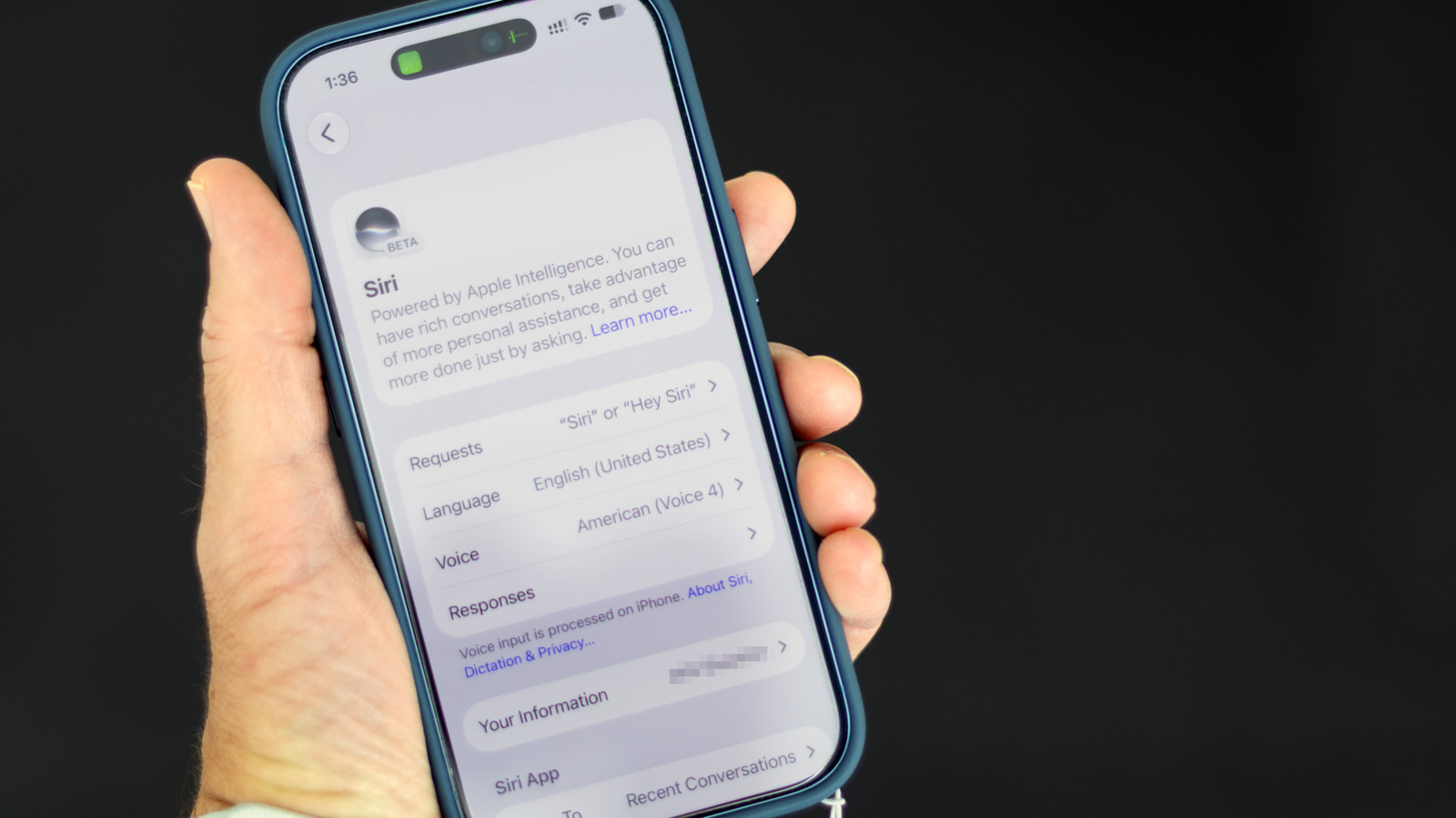
Apple this week released iOS 27 following around three months of beta testing. If you just installed the software update on your iPhone, you might be wondering where the new-and-improved Siri AI and dedicated Siri app are. In case you missed it, you must join Apple's waitlist in order to gain access to these new features. Keep in mind that while iOS 27 is compatible with the iPhone 11 and newer, Siri AI is limited to the iPhone 15 Pro and newer. This is because Siri AI requires an iPhone model that is compatible with Apple Intelligence, which we have listed below. Fortunately, joining the Siri AI waitlist is a simple task: Open the Settings app on your iPhone. Tap on the Siri menu . Tap on Try Siri AI (Beta) . Follow the prompts. Wait times seem to vary, with some users receiving access to Siri AI within a few minutes of signing up and others having to wait a few hours or even days. You will receive a notification on your iPhone once you have received access to Siri AI, and the Siri app will automatically appear on your device at that time. You can talk or type to Siri AI in three ways: swipe down on your iPhone's Dynamic Island, press and hold your iPhone's side button to invoke the assistant, or open the Siri app. The classic version of Siri has always been useful for basic actions like setting a timer and checking the weather, but it has notoriously struggled with more advanced requests over the years. Siri AI is much more intelligent and personalized: it is essentially a ChatGPT-like version of Siri that can respond to most questions. Siri AI can draw on your personal information stored on your iPhone, has on-screen awareness, and can perform actions in more apps that support it. The new Siri is limited to English to start, but Apple said support for French, Japanese, Korean, Portuguese, and Spanish will be available in October, likely as part of the release of iOS 27.1. Apple said Siri AI has unspecified daily usage limits, but it noted that expanded access will be coming with select iCloud+ plans. Siri AI is not available in the EU on iOS 27, iPadOS 27, and watchOS 27 at launch, as Apple is in a regulatory battle with the European Commission. The following iPhone models are compatible with Siri AI: iPhone 18 Pro iPhone 18 Pro Max iPhone Duo iPhone 17e iPhone 17 iPhone 17 Pro iPhone 17 Pro Max iPhone Air iPhone 16e iPhone 16 iPhone 16 Plus iPhone 16 Pro iPhone 16 Pro Max iPhone 15 iPhone 15 Plus iPhone 15 Pro iPhone 15 Pro Max You can adjust Siri AI's pace and expressivity on these iPhone models: iPhone 18 Pro iPhone 18 Pro Max iPhone Duo iPhone 17 Pro iPhone 17 Pro Max iPhone Air Apple still considers Siri AI to be in beta even though iOS 27 is no longer in beta overall. Related Roundups: iOS 27 , iPadOS 27 Tags: Siri , Siri AI Related Forum: iOS 27 This article, " Reminder: iOS 27's All-New Siri AI Has a Waitlist, Here's How to Sign Up " first appeared on MacRumors.com Discuss this article in our forums

Sep 15, 2026 · byMacRumors
50 New Things Your iPhone Can Do in iOS 27 - Out Now!

50 New Things Your iPhone Can Do in iOS 27 - Out Now!

Apple released iOS 27 this week, and despite the company's focus this year on refining its flagship operating system and nixing bugs, there are still many additional features to explore, not least of which is Apple's new context-aware Siri, re-tooled for the generative AI era. Which iPhones Support Every iOS 27 Feature? This year's major iPhone software update isn't all about AI, though, as the following feature list testifies. iOS 27 is available now on supported iPhone models as a free update, and can be downloaded from the Settings app, via General ➝ Software Update. Extend Your Photos and Lock Screen Wallpaper A new wallpaper extension feature in iOS 27 uses Apple Intelligence to automatically expand a photo beyond its original boundaries so it fills the entire Lock Screen more naturally. If a photo is cropped too tightly, doesn't match your iPhone's aspect ratio, or it leaves empty space when positioned on the Lock Screen, iOS 27 can generate additional image content around the edges with the "Extend" option. It will analyze the existing image and create matching background details that blend with the original photo, so there's no need for aggressive cropping. The Extend option can also be found in the Photos app. Organize Your Safari Tabs Safari uses Apple Intelligence to automatically organize your open tabs into related topics, making them easier to browse and manage. For example, if you're shopping for a new refrigerator while planning a vacation, Safari groups tabs for each activity into separate topic-based collections. You can enable this feature by opening Tab View, tapping the three-line icon in the top-right corner, and turning on Automatically Create Topics. Use Natural Language for Reminder and Calendar Entries In the Reminders app, you can now create reminders using natural language, and Apple Intelligence will automatically fill in details such as the date, time, and location. For example, if you type "Pick up Dad at 6 p.m. tonight" or "Send the photos to Eric tomorrow at 3 p.m.," Reminders extracts the relevant information and adds it to the reminder automatically. The Calendar app also supports natural language input, identifying people, dates, and locations as you type. You can then tap the suggested information to quickly add it to your event. Inline Reply to Messages From Android Users In the Messages app, you can now long press on a specific message from an Android user (a green chat bubble) and get an option to reply to it. That contrasts with iOS 26, where inline replies are limited to blue bubbles sent over Apple's iMessage platform. Upgrade Your Wallet Passes Apple has expanded the redesigned pass experience in the Wallet app with iOS 27, bringing the enhanced design introduced for airline boarding passes in iOS 26 to additional pass types. Membership, gift, loyalty, and rewards cards can now use a new Poster Generic layout with a background image, a logo, customizable header and footer fields, main information, and an optional barcode. Passes can also include up to two quick actions at the bottom, such as getting directions to a venue or checking a rewards points balance. Describe Your Next Shortcut Apple Intelligence makes creating shortcuts much more accessible by letting you build them with natural language. Tapping New Shortcut in the Shortcuts app opens a Describe a Shortcut interface, where you simply explain what you want the shortcut to do. You can describe a single action or a more complex automation, and Apple Intelligence selects the appropriate actions and assembles the shortcut automatically. For example, you could create a shortcut that sets tomorrow's alarm based on your first Calendar event, enables Sleep Focus, and dims the bedroom lights each evening, or one that displays your first meeting, the weather, and today's reminders every morning. Like existing shortcuts, these automations can be triggered by factors such as the time of day, your location, app activity, system events like taking a screenshot, incoming notifications, and more. Get a Better Flyover of Your City Apple is enhancing the Flyover feature in Maps with iOS 27, using Apple Intelligence models to improve aerial imagery with greater texture and sharper detail. Trees, buildings, and other landmarks appear more realistic, with more accurate geometry and improved lighting effects. According to Apple, the update makes select cities around the world look more lifelike, from the shape of individual trees to the way light reflects off glass skyscrapers. Flyover already offers detailed 3D views of landmarks, roads, parks, and buildings in more than 350 cities, so iOS 27 is essentially using AI to further improve the quality of those visualizations. Ask Siri What Your Camera Sees The iOS 27 Camera app has a new "Siri" mode that is available in addition to the video, photo, and other camera modes. The new mode uses Visual Intelligence to identify objects in the frame and provide information about them. It can be used to identify plants, animals, food, and more. If it's food you want info on, for example, it can tell you what it is, and how many calories are in it. Other examples ‌Siri‌ mode can be used for include capturing a photo of an event flyer and adding a date to the Calendar app, text translation, splitting a bill, and more. Make Your Lock Screen Clock More Compact A new compact clock mode is available as a new Lock Screen layout option in iOS 27. Found in the top-right corner of the Font & Color panel, the option moves the time from its traditional large, centered position to a much smaller format alongside the date and widgets at the top of the screen. It's a nice option to have if you like a cleaner Lock Screen look that shows off your wallpaper more fully, and it's the complete opposite effect introduced in iOS 26 that stretches the clock down the screen. Generate Photo-realistic Images with Image Playground Apple's Image Playground has been a bit of an embarrassment up until now, being limited to cutesy re-renderings of actual photos and sketched illustrations. But the app gets a major update in iOS 27. Powered by a new generative model that runs on Private Cloud Compute, it can produce high-quality images in virtually any style, including photo-realistic output for the first time. All generated images automatically carry a hidden SynthID watermark to identify them as AI-generated. The app now also supports photo-based editing in addition to creation. Tweak Liquid Glass Opacity If Apple's Liquid Glass UI embrace in iOS 26 wasn't your thing, there's a way to tone it down. In iOS 27, Apple added a full Liquid Glass slider under Settings ➝ Appearance ➝ Liquid Glass. It changes the translucency of Liquid Glass elements, and you can choose a clear version of Liquid Glass that allows some of the background to show through, select a more opaque, tinted version that improves the legibility of text, or choose something in between. Create a Slideshow from Any Album In iOS 27, you can create a slideshow from any album, collection, or selection of photos in the Photos app, rather than being limited to Memories. Open an album or select multiple photos, tap the menu button in the top-right corner, and choose Start Slideshow. Slideshows can be customized with different transition styles, slide durations, and background music, and then saved as a video or shared directly to social media. Easily Switch Between Siri and ChatGPT The new Siri app in iOS 27 defaults to the new Siri AI, but you can switch it to ChatGPT if you prefer. Simply long press on the text input field and tap "Ask...", then you'll see an option to change to ChatGPT. Note that conversation context does not transfer when you switch chatbot providers. Currently, ChatGPT appears as an alternative in the Siri AI app whether or not you have the ChatGPT extension enabled in Settings ➝ Siri ➝ ChatGPT. Build a Browser Extension With a Prompt Safari has been given a new AI-powered extension creation feature. A new Create an Extension option, available from Safari's menu to the left of the address bar, lets you describe what you want an extension to do in plain language, and Apple generates it for you. If you need inspiration, Apple also provides suggested ideas across categories including Boost Productivity, Improve Focus, Get Creative, and Develop and Design. Get AI Summaries of HomeKit Camera Footage (iCloud+ Only) The Home app is now able to generate written summaries for motion alerts from HomeKit Secure Video cameras. It's also able to group footage from separate cameras for an overview of activity and pull out noteworthy recordings, plus it supports natural language search. Bear in mind that this feature is only available if you have an iCloud+ plan with at least 2TB of storage (that's a $9.99/month subscription). Equalize Your AirPods With iOS 27, Apple finally introduces adjustable EQ controls for compatible AirPods models. With your AirPods paired and the latest firmware installed, you can go to Settings ➝ [Your AirPods] ➝ Audio & Routing ➝ Equalizer ➝ Custom to adjust the lows, mids, and highs. Custom EQ is available on AirPods with Apple's H2 chip, including AirPods Pro 2, AirPods Pro 3, AirPods 4, and AirPods Max 2. Customize Siri's Voice Apple has introduced a more powerful on-device Apple Intelligence model for the iPhone 17 Pro, iPhone 17 Pro Max, and iPhone Air. The upgraded model can understand and generate speech, as well as interpret text and images, enabling a more natural and responsive Siri experience. It also unlocks new voice customization options that let you adjust Siri's expressiveness and speaking pace to suit your preferences. Rate Your Photos Apple now lets you assign one- to five-star ratings and keywords to photos and videos in the Photos app, making it easier to organize and filter your library. To go with the new feature, Apple has added a Show Rating Controls option to the Photos section of the Settings app. When enabled, it displays star ratings on photos and videos and adds rating badges to thumbnails, ensuring that your highest-rated media is easy to spot at a glance. Ask Questions About Your Surroundings In Accessibility, Apple has added a new Live Recognition section. Powered by on-device intelligence, Live Recognition uses the iPhone's camera to identify and describe people, objects, and surroundings in real time. It can also answer questions about what it sees, with the option to set a default prompt for quick access. Auto-Update Your Weak Passwords If you use Apple's Passwords app, there's a new feature that uses Safari to automatically change weak and compromised passwords for you. The feature uses ‌Apple Intelligence‌ to automatically navigate to eligible websites, sign in, and update your password with a tap. Save a Still From a Video The Photos app in iOS 27 lets you pull a single frame out of a video and save it as its own photo. So you no longer have to rely on the old workaround of pausing playback, taking a screenshot, and cropping out the scrubber. The frame is subsequently saved in your library as a normal image, ready to edit or share just like any other shot. Give Your Alarms Their Own Volume In iOS 27, Settings ➝ Sounds & Haptics gains an Alarms and Timers section with a "Match Ringtone Volume" toggle. Switch it off and a dedicated slider appears, so you can drop the ringer to nothing overnight and still get woken at the volume you chose. Apple's own note under the slider says it won't override wake-up alarms or other alarms that carry their own volume control. Share Your Location for as Long as You Want In iOS 26, sharing your location in Find My involves choosing from three presets: one hour, until end of day, or indefinitely. By contrast, iOS 27 adds custom durations – four days and six hours, for example. Alternatively, you can enter an exact date and time for sharing to expire. You can also pause sharing with specific people until the end of the day, without them being informed. Show Both Camera Views on a FaceTime Call FaceTime has a Dual Capture option in iOS 27. On the iPhone 17 models and the iPhone Air, you can use the front and back cameras at the same time while on a FaceTime call. The person you're calling is able to see your face and what's shown through the back camera. You can turn on Dual Capture on a supported iPhone by tapping on the camera flip button. If you only want to show the back camera feed, you can tap to turn off the front camera view. Draw in Messages You can now drawing in the Messages app to send little sketches and notes. It's available when tapping on the "+" button next to the text bar in a conversation. The drawing interface is the same as the Markup tool available in apps like Photos and Notes. There's a marker, a pen, a highlighter, and an eraser, plus options to use the tools in any color. Get Notified About a Webpage Change Apple's new version of Safari browser in macOS 27 and iOS 27 can be tasked to monitor a webpage and notify you of any changes. With "Notify Me," Safari can keep checking a website on your behalf – such as a product you've been watching for when it comes back in stock – and alert you when a change occurs. Reframe a Photo A new Reframe feature in Photos can change the perspective of a photo and make adjustments to the angle of a person or object. It uses the spatial information the iPhone gathers when a photo is taken, and combines it with AI to change the angle of the camera in post-processing. The spatial data is used for adjusting the subject of the image, and then AI fills in any pixels that are missing. Get Spending Insights in Wallet A new "Insights" feature in the Wallet app lets you add different Connected Accounts to monitor your spending. Accessed by tapping the three dots in the top right corner, the feature displays your spending highlights, trends, and other details. Note that Connected Accounts integration is dependent on your bank offering the feature, and currently it has broader support in the U.K. than in the U.S. Get Context When on a Call When you're on a phone call to a business, a new feature called "Call Context" proactively surfaces relevant information. If you call an airline to change a flight, for example, the Phone app can automatically find the relevant confirmation code or reservation number from Mail and display it during the call. Apple says Call Context looks only at who the user is calling and not at the call audio itself. The feature runs entirely on device, meaning no data is shared with Apple or any third party. Learn What's Trending Around You in Maps In Maps, a new Local Lists section uses intelligent insights from what's trending around you for suggestions on places you should visit. Maps surfaces locally relevant collections of places to make it easier to find popular and interesting locations. Apple says Local Lists is privacy-focused and does not use information tied to individual users. Note that this feature is only available in the U.S. Write With Siri Anywhere You Type Siri's Writing Tools have been broadened to work across the system in iOS 27. You can ask Siri to draft something from scratch, shorten it, turn bullet points into prose, or change the tone of an email to something more formal. In Mail and Messages, Siri also mimics your writing style, and Smart Replies are configured to match it. There's also automatic proofreading for spelling and grammar as you type. Ask Siri About Whatever's on Your Screen Onscreen awareness means Siri knows what you're looking at without you having to describe it. You can select text or long press an image in any app, then ask Siri about the selection. It can summarize text, translate menus, tell you where a photo taken, and explain what a chart shows. It works in third-party apps too. Put Siri to Work in Your Inbox Long press an email and a built-in Ask Siri option will appear. From there, you can ask Siri to summarize the message, pull out a flight number, track a package, or save an attached photo. It can also carry out tasks, like deleting every email from a particular sender or moving details into your Reminders list. Swipe down on the response and you can ask follow-ups. And the whole exchange gets logged in the Siri app. Swipe Down for Search or Ask Spotlight, as you know it, is gone in iOS 27. Swiping down from the middle of the Home Screen now opens Search or Ask, where you can type or speak to Siri. Apple rebuilt the underlying search index at the same time, so returned results are more current. Meanwhile, Mail search now ranks by relevance and intent rather than date, and shows you up to five top results. Turn a Paper Ticket Into a Wallet Pass A new Create a Pass option in Wallet lets you digitize physical tickets, membership cards, and coupons that have no app equivalent. Simply point your iPhone's camera at a barcode or QR code and Visual Intelligence will do the rest, or you can add the details manually. Templates cover Standard, Membership, and Event types, and you can choose from 12 background colors, several texture options, and seven themed backgrounds for the likes of theater, music, and sports. Use One Phone Number on Two iPhones iPhone Handoff is a new feature that lets you use the same number on two iPhones and switch between them, which is super-handy if you keep an older device as a backup. It relies on eSIM and needs carrier support. At launch, that means T-Mobile in the U.S. and Deutsche Telekom in Germany. Note that T-Mobile will charge you $5 a month for the privilege. Redeem a Gift Card by Tapping It Apple gift cards can be redeemed by holding the card against the back of your iPhone, so you don't need to scan or type in the code. It's a small but nice touch, especially for anyone who has squinted at a 16-character string in the checkout queue. Let Android Friends Into Your Shared Albums iCloud Shared Albums now accept contributions from Android and Windows users via a web browser, and photos and videos can be added at full resolution in all common formats. Albums can be set to expire after 30 days, filtered by photos or videos, and reacted to with any emoji, and there's an activity log showing who added what. Just be aware that if you own the Shared Album, its contents take up your iCloud storage space. Find the Photos You Actually Took There are two new Utilities folders in the Photos app in iOS 27. Captured by Me gathers every image shot with the Camera app on your current or previous iPhone, while filtering out screenshots, memes, and everything else that finds itself into your library. Elsewhere, Identity Documents collects pictures of passports, licenses, and any of your similar paperwork in one place. Erase Bigger Things From Your Photos Clean Up has been rebuilt on new models and can reconstruct much more of a background than in previous iOS versions, so it's no longer limited to small blemishes on plain backdrops. It now offers three options: Fast for simple edits, High Quality for busier scenes, and Auto, which lets the Photos app decide. Give One Widget a Whole Home Screen Page iOS 27 adds an extra-large widget size that fills an entire Home Screen page. Apps that support it include Calendar, Photos, Music, and Weather, with third-party app developers able to add the bumper size too. Stop Sending Accidental Voice Messages If you've ever fired off three seconds of ambient noise by accident in the Messages app, you can now select which audio button sits at the end of the input field, or get rid of the icon entirely. Go to Settings ➝ Messages ➝ Show in Text Field and set the right-side button to Record Audio, Start Dictation, or None. Let Failed Messages Resend Themselves When a message, photo, or video fails to send, your iPhone now retries automatically instead of slapping a red exclamation mark next to it. Sending a large attachment on a weak connection no longer holds up the rest of the conversation either, since each item gets its own progress bar. Notifications for tapback responses are consolidated too, which spares you multiple alerts every time a group thread gives you a collective thumbs-up. Redo a Genmoji Without Starting Over Genmoji creation has been overhauled in iOS 27, and now you can start from an existing emoji, a photo, or a person, then use a "Describe a Change" interface to adjust individual elements rather than regenerating them from scratch. Each tweak builds on the previous version, and a style option lets you swap the default 3D cartoon look for something closer to a sketch or drawing. Pair Your iPhone With a Treadmill GymKit has finally come to the iPhone. Gym equipment that supports it, like treadmills and indoor bikes, can now pair directly with your iPhone for two-way data syncing. The feature previously required an Apple Watch. Track Perimenopause in the Health App Cycle Tracking has been expanded to cover perimenopause and menopause, and the Health app will send a notification when your logged cycle patterns suggest perimenopause. Apple has also added matching Fitness+ workouts, while the Browse section has been redesigned around cards instead of a long list. See Rain and Wind Hour by Hour The Weather app now opens with a new Highlights section covering what you need to know for the day. Below that, the Conditions view can be toggled between temperature, precipitation, and wind, while the 10-day forecast changes to match, so you can the chances of rain for the week without tapping into anything. Watch Video in CarPlay While You're Parked CarPlay apps can now offer video browsing and playback, but only while the car is stationary, as it should be. If you start driving mid-episode, playback automatically drops to audio only. iPhone apps that support AirPlay can stream to the car display as well, but that requires automakers to enable it, and none have said they will yet. Approve Every Website Your Child Visits Apple in iOS 27 has substantially reworked Parental Controls. Ask to Browse now requires your sign-off on each new website a child opens in Safari, joining Ask to Buy for app downloads and a new setting that requires permission before a child contacts someone new. Time Allowances cap daily use of Entertainment, Games, and Social Media apps with age-based suggestions, Daily Schedules control which apps are available when, and a redesigned Screen Time shows usage at a glance. Lastly, Communication Safety now blurs gore and violence as well as nudity for under-18s. Notice Your Old iPhone Getting Faster Apple put a lot of effort into maximizing iPhone performance in iOS 27, and its work in this area reaches all the way back to the iPhone 11. Apple says apps launch up to 30 percent faster, AirDrop transfers are up to 80 percent quicker, and new captures appear in a 50,000-photo library up to 70 percent faster. The CPU scheduler has also been reworked, while the emoji keyboard no longer pauses before it appears, and the Camera app opens faster in Low Power Mode. If that's not enough, the iPhone is also better at judging when to switch between Wi-Fi and cellular. Related Roundups: iOS 27 , iPadOS 27 Related Forum: iOS 27 This article, " 50 New Things Your iPhone Can Do in iOS 27 - Out Now! " first appeared on MacRumors.com Discuss this article in our forums

Sep 15, 2026 · byMacRumors
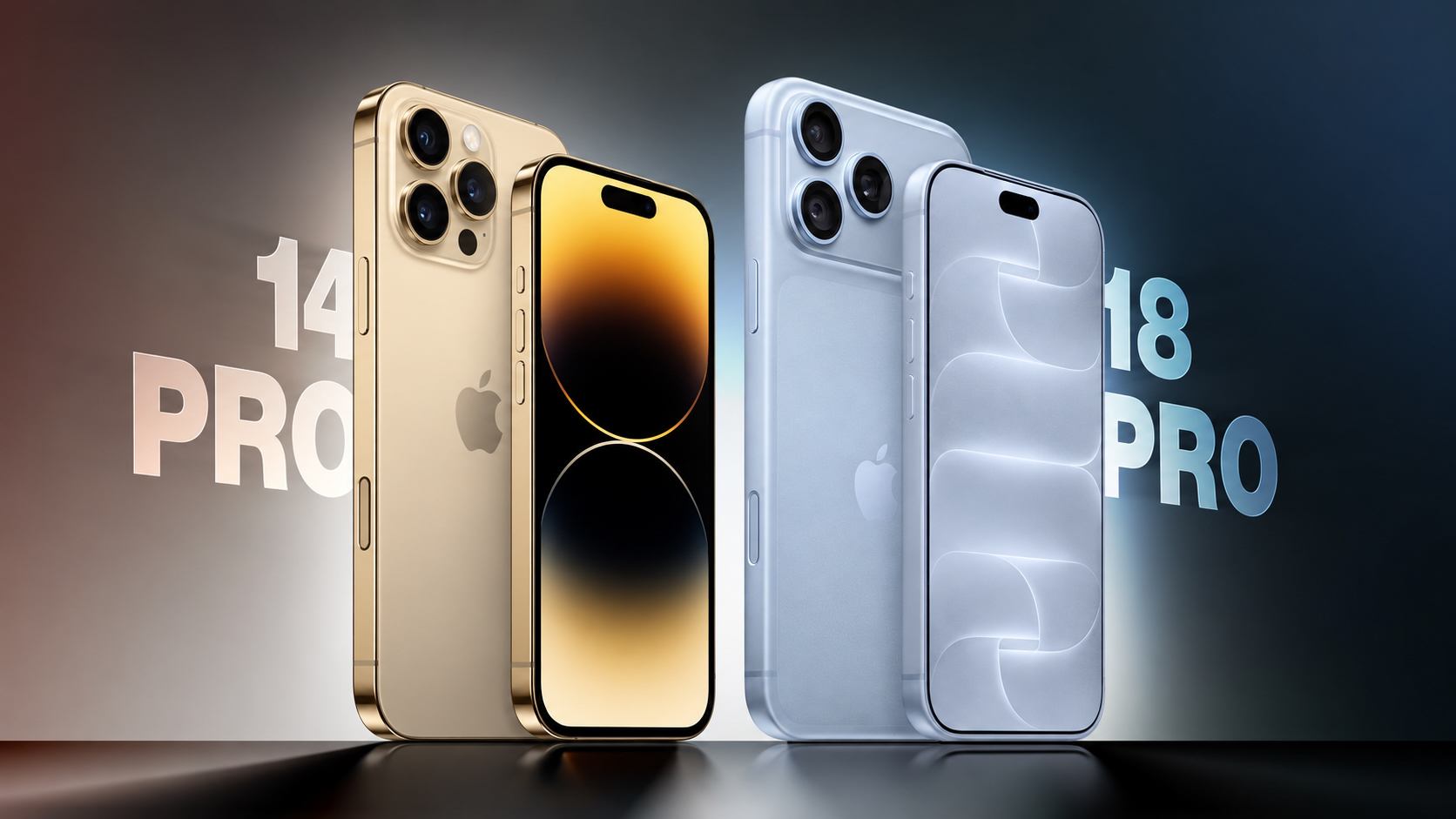
macOS Golden Gate: 10 Features to Try First

macOS Golden Gate: 10 Features to Try First

Apple released macOS Golden Gate to the public today, which means anyone with a compatible Mac can download it. The new version of macOS requires an Apple chip, so if you have a Mac with an M1 or later or a MacBook Neo , you can upgrade. ‌macOS Golden Gate‌ includes Siri AI, and the Mac is the only device that people in the EU can try ‌Siri‌ AI with. It also brings a long list of performance improvements, updates to Liquid Glass, and new Apple Intelligence features for apps like Photos , Calendar, Reminders, Home, and Safari. Liquid Glass Apple added a Liquid Glass slider in macOS 27, which means you can adjust the transparency level. You can select a clearer version of Liquid Glass that lets some of the background show through, or a more opaque version for improved legibility. Since it's a slider, you can also pick something in between. Apple tweaked the overall opacity of Liquid Glass, and it better diffuses complex content behind navigation bars and buttons. Darkened edges and brighter specular highlights add more depth and separation for different UI elements. Toolbars, Sidebars, and Windows Uniform toolbars in apps make text headings and groups of controls more legible, and Apple has cut back on the number of icons that are used in menu interfaces. Windows have the same corner radius for more consistency, and you'll notice that app corners are not as dramatically rounded. Changes to window shadows and the Liquid Glass updates make it a lot easier to tell which window is active when you have several apps open. Sidebars no longer float and are edge-to-edge, which is a less distracting design. Sidebar icons once again use color, too. Siri AI ‌Siri‌ AI is the biggest change in ‌macOS Golden Gate‌. ‌Siri‌ is smarter, more capable, and functions like a chatbot. On the Mac, you can ask ‌Siri‌ anything using the Spotlight interface that comes up with Command + Space. Spotlight is now a unified "Search or Ask" bar where you can search for files, apps, and other content, or ask ‌Siri‌ to complete tasks or answer queries. You can also interact with ‌Siri‌ using the dedicated ‌Siri‌ app, which is where you can view past conversations and start new conversations. ‌Siri‌ conversations sync across all of your devices, and the ‌Siri‌ app is cross-platform. ‌Siri‌ can see what's on your screen and access your personal information like emails, messages, and photos to answer questions. ‌Siri‌ can also search the web and complete tasks in apps for you. It's a huge change from the prior version of ‌Siri‌, and ‌Siri‌ can handle far more than it could before. We have more on some of the tasks you can complete with ‌Siri‌ in our Siri AI guide . Visual Intelligence Apple brought the iPhone's Visual Intelligence feature to the Mac in macOS 27. You can ask ‌Siri‌ questions about what's on your screen with ‌Visual Intelligence‌, choosing the entire screen or just a portion. ‌Visual Intelligence‌ on the Mac works when you press Command + Shift + Space or Command + Shift + 6 to capture one area of the display. If you press Command + Shift + 5 (also used for recording your display and capturing screenshots), you can click on the ‌Visual Intelligence‌ icon to get an adjustable selection square for selecting an area of the screen. ‌Siri‌ can search for images, summarize, translate, identify objects, add information from the screen to apps like Calendar or Reminders, answer questions about what you're looking at, and more. ‌Visual Intelligence‌ on Mac has all of the same features as Visual Intelligence on iPhone , and it includes the new ‌Visual Intelligence‌ features like telling you nutritional information for food or splitting out a bill. Write with Siri There is a system-wide Write with ‌Siri‌ feature that goes beyond the ‌Apple Intelligence‌ Writing Tools available in macOS Tahoe . ‌Siri‌ can compose entire emails or messages for you, give you feedback on your writing, change out words, and complete other editing tasks. To use Write with ‌Siri‌ on Mac, right-click in an app and choose the Ask ‌Siri‌ option. If you select text before the right-click, you can ask ‌Siri‌ for editing help. If you have a blank document, you can ask ‌Siri‌ to generate something for you. When drafting emails or messages, ‌Siri‌ can analyze your past communications and generate something in your own writing style. Apple also expanded spell correction in ‌macOS Golden Gate‌, and your Mac will give you grammar suggestions and fixes. iPhone Mirroring You can resize the iPhone Mirroring window in ‌macOS Golden Gate‌, dragging at the corner to make a window larger or smaller. Depending on the app, you may be limited to a portrait iPhone aspect ratio, but other apps support iPad or landscape layouts. It's a feature Apple likely added for the iPhone Duo , but it's nice to have for any iPhone. Shortcuts It's easier for anyone to create a Shortcut in just a few minutes in ‌macOS Golden Gate‌. The Shortcuts app on Mac opens to an interface that lets you describe what you want a shortcut to do using natural language. AI creates the shortcut for you, and you can refine it with further natural language commands or manually edit it. You can activate your shortcuts through the app or with ‌Siri‌ commands. Safari Extensions Safari has a customizable extension feature in ‌macOS Golden Gate‌, and you can use the Describe Extension option to type in what you want an extension to do. The extension is created using AI and is available to use right away. To use it, click on the settings icon on the right side of the URL bar and choose the Describe Extension option. Some Apple examples: Display a reading time estimate as a badge on the extension Close duplicate tabs pointing to the same URL when I click the extension Highlight this word Create a 3-minute focus timer for the page Set the minimum font size to 14pt Every time I open a new tab, draw me a flower Highlight and show the dimensions of webpage elements when I click them Enter design mode for a website so that I can edit the contents Save this recipe Safari Tab Grouping and Notifications Safari also has an intelligent tab grouping feature. Tabs in related categories are automatically grouped together in the tab view. You can also set Safari to monitor a webpage for updates, with Hourly, Daily, Weekly, and Monthly checks available. When you set this feature up, you'll get a notification when the content on the webpage changes. Performance Improvements In addition to introducing ‌Siri‌ and new ‌Apple Intelligence‌ features, ‌macOS Golden Gate‌ cleans up underlying code. Apple made multiple refinements to speed up performance. Animations and interactions are faster and smoother, and you'll notice a difference when scrolling Safari and other apps, opening Mission Control and Spaces, and using other Mac interface elements. AirDrop transfers complete more quickly, browsing through files on attached network devices is faster, and window positioning is more stable when using external displays. Messages also sync faster and more reliably across devices. Apple rebuilt its search foundation for Spotlight, ‌Photos‌, Mail, and Messages, and indexing is quicker. When you search for something recent, it's more likely to come up right away than before, and in Mail, there's a ranking system that surfaces the emails you're most likely looking for. Mail search indexing is more reliable than before, and Spotlight search suggestions are more relevant. How to Install ‌macOS Golden Gate‌ can be installed through the System Settings app on your Mac. Just go to General > Software Update. Full System Requirements ‌macOS Golden Gate‌ runs on Macs with an ‌M1‌ chip or later, plus the A18 Pro ‌MacBook Neo‌. Intel Macs do not support ‌macOS Golden Gate‌ and won't get the new features. Every Mac that runs ‌macOS Golden Gate‌ supports ‌Apple Intelligence‌ and ‌Siri‌ AI, but some on-device ‌Siri‌ processing features for selecting a natural voice and getting upgraded dictation require an M3 or later. Related Roundup: macOS Golden Gate Related Forum: macOS Golden Gate This article, " macOS Golden Gate: 10 Features to Try First " first appeared on MacRumors.com Discuss this article in our forums

Sep 15, 2026 · byMacRumors